> ## Documentation Index
> Fetch the complete documentation index at: https://docs.synctera.com/llms.txt
> Use this file to discover all available pages before exploring further.
# Enhanced Card Dispute cases
> Note that the guide below is specific to **card** transaction disputes. Disputes for other types of transactions, for example ACH, will for now continue to use the Dispute Case described [here](/v2/docs/dispute-cases-fintechs). In Q4 2024, all transaction types will follow the enhanced flow.
## How to submit a card transaction dispute?
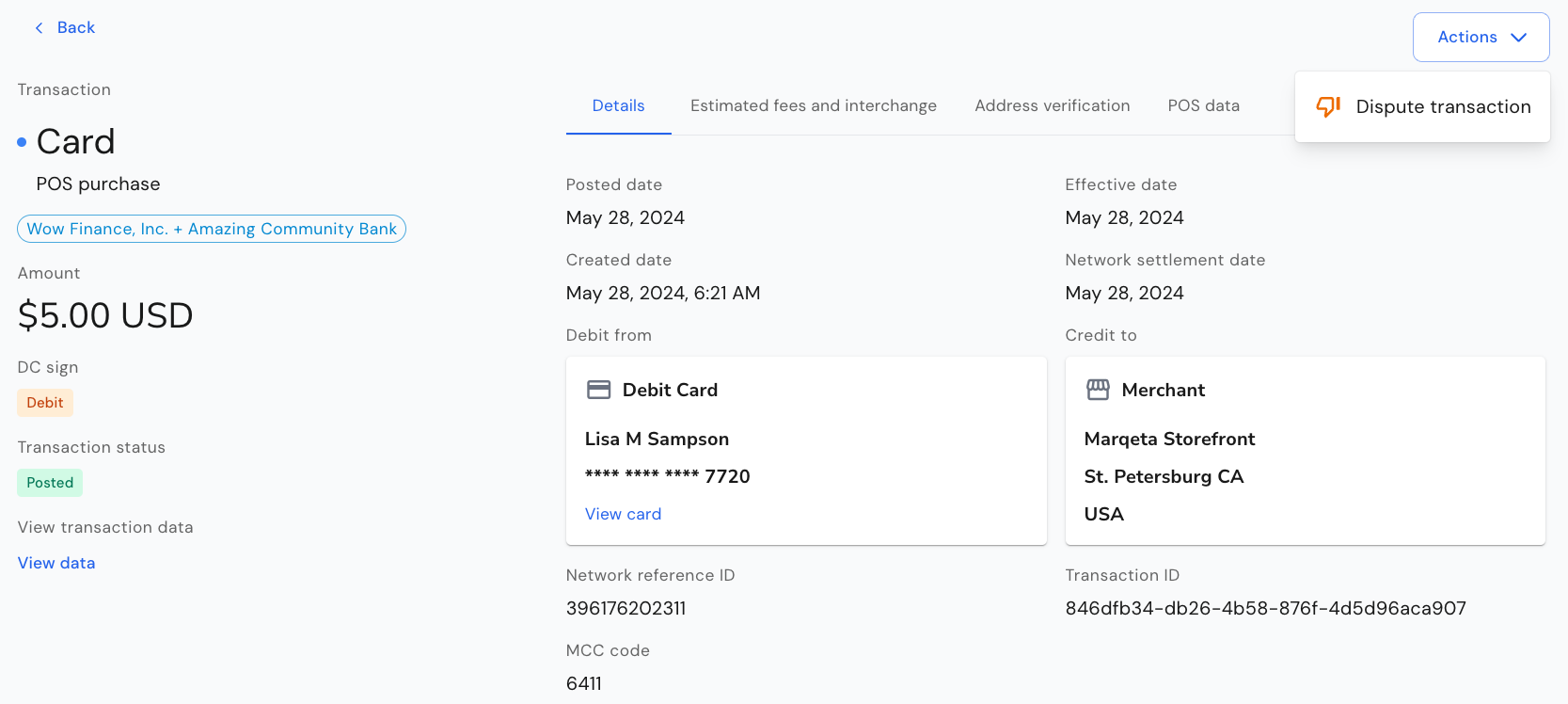
To dispute a cleared/posted transaction in the Synctera Console, go to *Posted Transactions* and *Actions* in the top right corner.
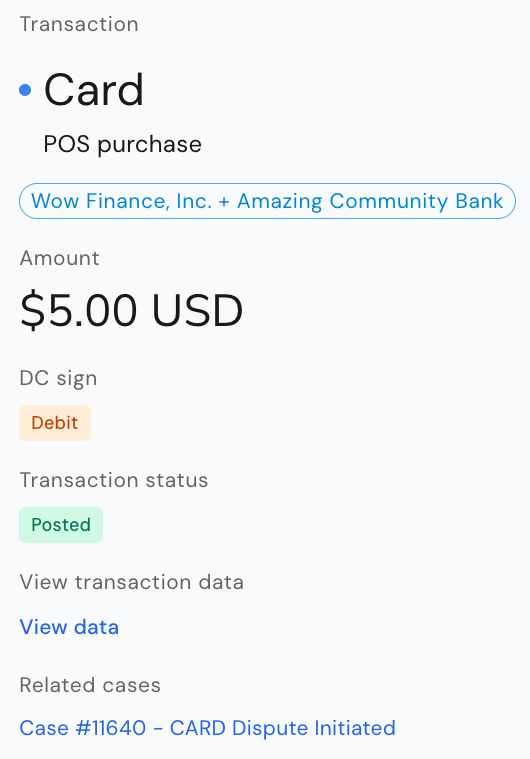
 If a transaction has already been disputed, a link to the related dispute case is shown below the transaction details.
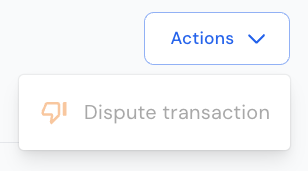
 If there is an ongoing dispute case for the transaction, the action to Dispute transaction is disabled.
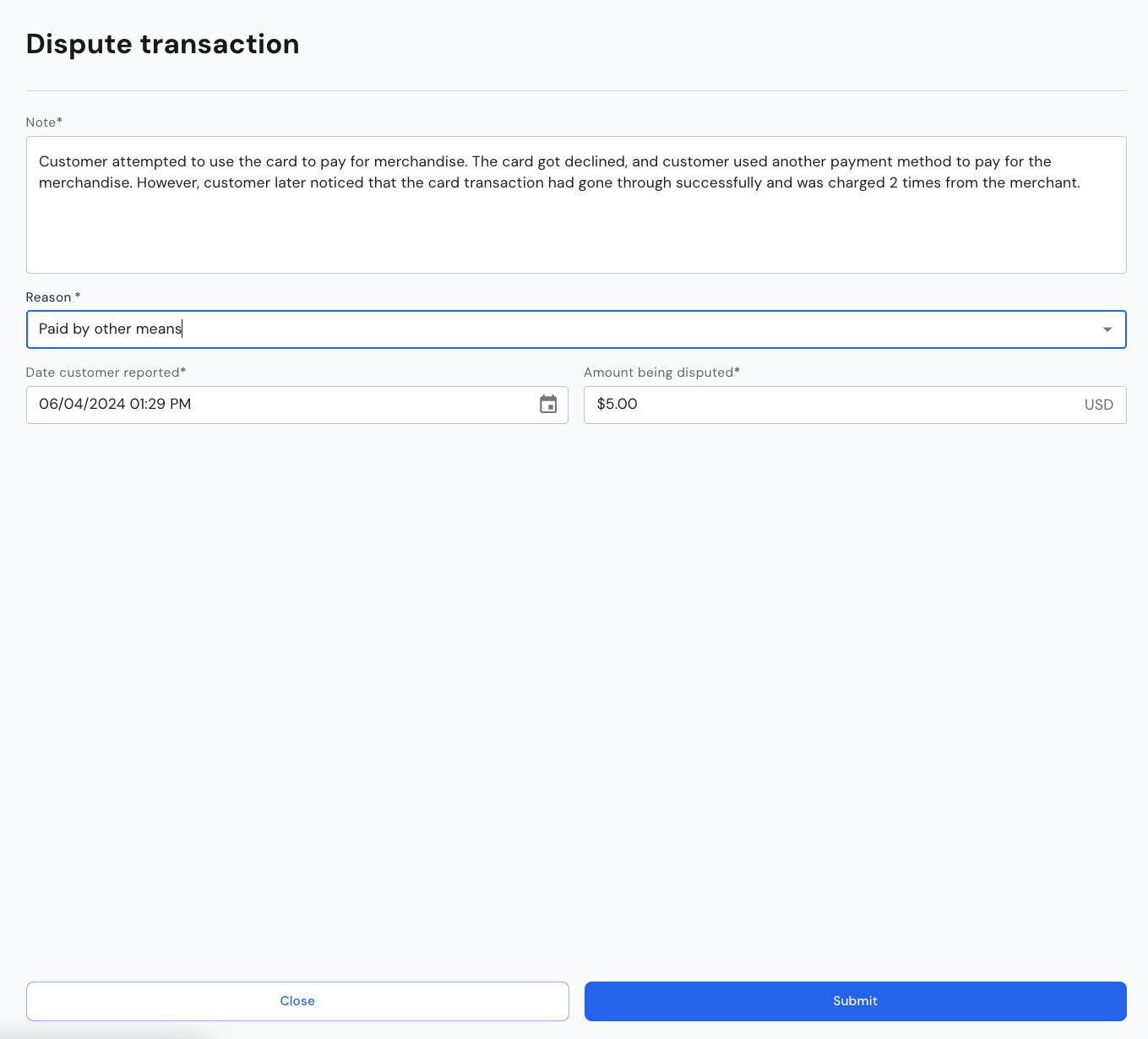
 To submit the dispute, the following information must be provided before clicking *Submit*:
* Note:
* Information about the dispute, typically what the customer provides when submitting the dispute to the FinTech
* Dispute reason:
* The reason for the dispute - this reason may be overridden with a more appropriate/correct reason by the team reviewing the dispute
* Reasons include: ATM cash dispute, Card lost/stolen, Chip liability shift, Counterfeit goods, Credit not received, Defective goods or services, Dispute recurring transaction, Duplicate transaction, Fraudulent processing, Goods or services not provided, Late presentment, Paid by other means, Transaction amount differs, Transaction did not complete, Transaction not recognized, Unauthorized transaction
* Date reported:
* The date reported by customer is important for establishing the correct deadlines for provisional credit and investigation
* Disputed amount:
* This will be defaulted to the amount of the transaction being disputed on, in case of a partial dispute, to the remaining undisputed amount
To submit the dispute, the following information must be provided before clicking *Submit*:
* Note:
* Information about the dispute, typically what the customer provides when submitting the dispute to the FinTech
* Dispute reason:
* The reason for the dispute - this reason may be overridden with a more appropriate/correct reason by the team reviewing the dispute
* Reasons include: ATM cash dispute, Card lost/stolen, Chip liability shift, Counterfeit goods, Credit not received, Defective goods or services, Dispute recurring transaction, Duplicate transaction, Fraudulent processing, Goods or services not provided, Late presentment, Paid by other means, Transaction amount differs, Transaction did not complete, Transaction not recognized, Unauthorized transaction
* Date reported:
* The date reported by customer is important for establishing the correct deadlines for provisional credit and investigation
* Disputed amount:
* This will be defaulted to the amount of the transaction being disputed on, in case of a partial dispute, to the remaining undisputed amount
 What happens when the dispute is submitted?
* When the dispute is submitted, a dispute record is automatically created, and subsequently also the Synctera Dispute Case.
* Unless the transaction is disputed through Mastercard (enabled from November 2024), the case worker then needs to submit the case on Marqeta as Marqeta handles the communication with the networks' dispute management systems for non-Mastercard disputes.
* Any status updates on Mastercard or Marqeta are automatically reflected in the Synctera Dispute Case.
## What's displayed for Card Dispute cases
### Case status
The case status is shown at the top of the Dispute case - to the right of the case description.
What happens when the dispute is submitted?
* When the dispute is submitted, a dispute record is automatically created, and subsequently also the Synctera Dispute Case.
* Unless the transaction is disputed through Mastercard (enabled from November 2024), the case worker then needs to submit the case on Marqeta as Marqeta handles the communication with the networks' dispute management systems for non-Mastercard disputes.
* Any status updates on Mastercard or Marqeta are automatically reflected in the Synctera Dispute Case.
## What's displayed for Card Dispute cases
### Case status
The case status is shown at the top of the Dispute case - to the right of the case description.
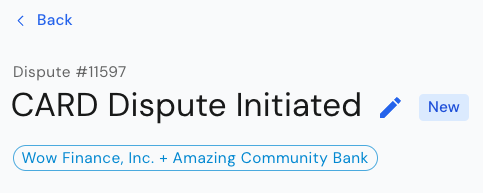 Note that the Synctera *Case status* is different from the dispute *Lifecycle status*, which is described further below.
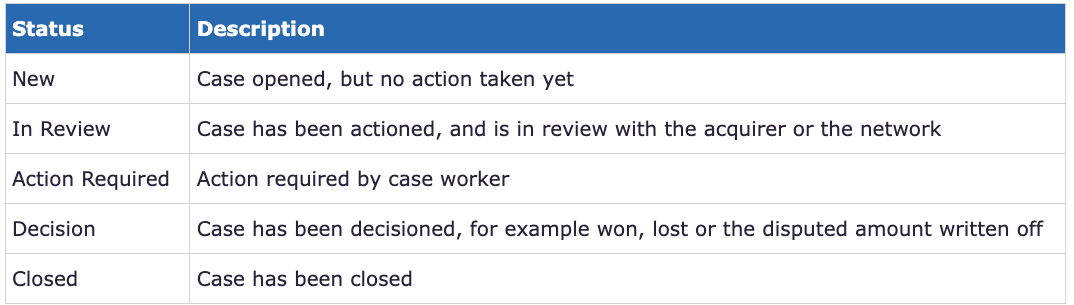
The following Case statuses are available:
Note that the Synctera *Case status* is different from the dispute *Lifecycle status*, which is described further below.
The following Case statuses are available:
 ### Customer
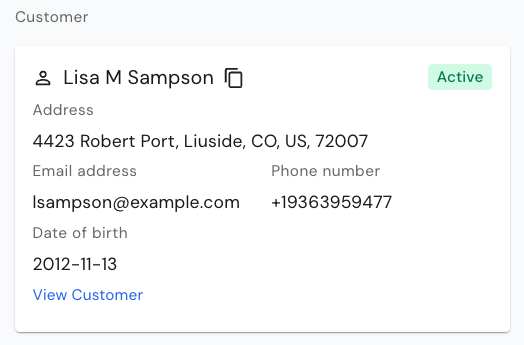
Shows information about the *Customer* to which the disputed transaction applies - click on the *View Customer* link to view full customer details:
### Customer
Shows information about the *Customer* to which the disputed transaction applies - click on the *View Customer* link to view full customer details:
 ### Transaction
Shows information about the *Transaction* being disputed - click on the *View Transaction* link to view full transaction details:
### Transaction
Shows information about the *Transaction* being disputed - click on the *View Transaction* link to view full transaction details:
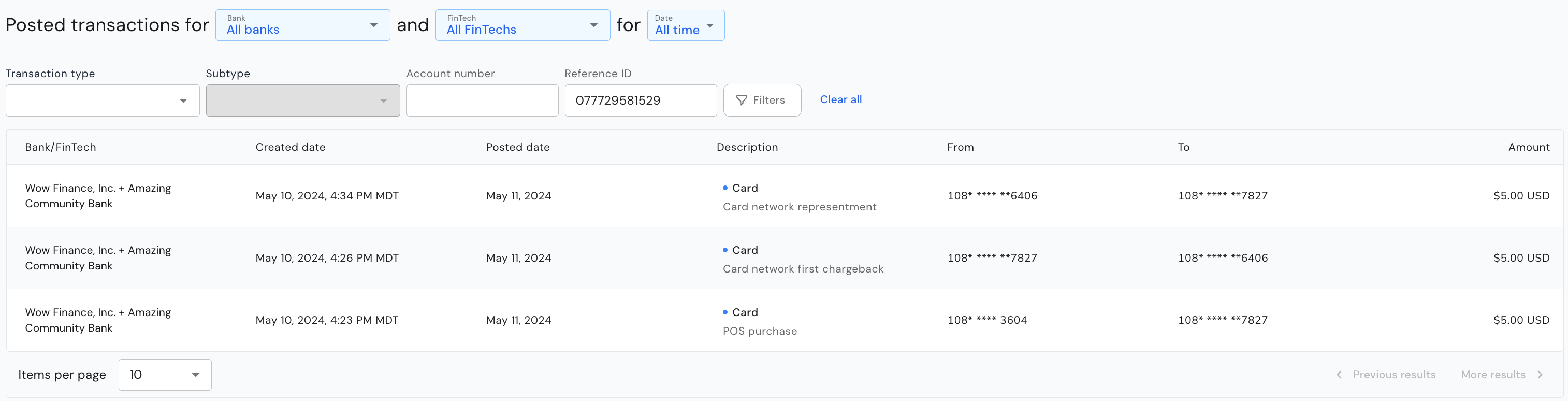
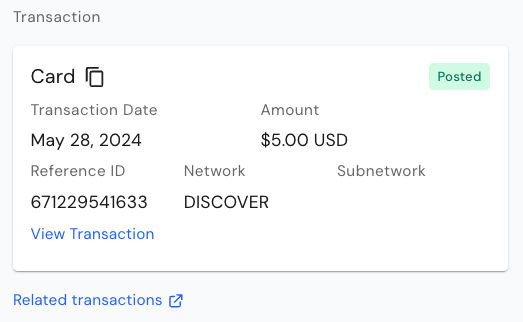 A link to *Related transactions* is also available - this will take you to a list of all postings related to the dispute, both customer- and settlement-related postings. For example:
 ### Account
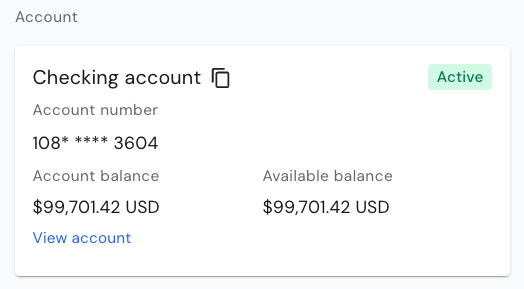
Shows information about the *Account* to which the disputed transaction applies - click on the *View Account* link to view full account details:
### Account
Shows information about the *Account* to which the disputed transaction applies - click on the *View Account* link to view full account details:
 ### Lifecycle status, Decision and Credit status
Together, the *Lifecycle status*, *Decision* and *Credit status* tell you where the dispute is at.
* The *Lifecycle status* tells you in which step in the dispute flow the dispute is
* The *Decision* tells you if a decision has been reached
* The *Credit status* tells you if a provisional credit or a final credit was posted or not
### Lifecycle status, Decision and Credit status
Together, the *Lifecycle status*, *Decision* and *Credit status* tell you where the dispute is at.
* The *Lifecycle status* tells you in which step in the dispute flow the dispute is
* The *Decision* tells you if a decision has been reached
* The *Credit status* tells you if a provisional credit or a final credit was posted or not



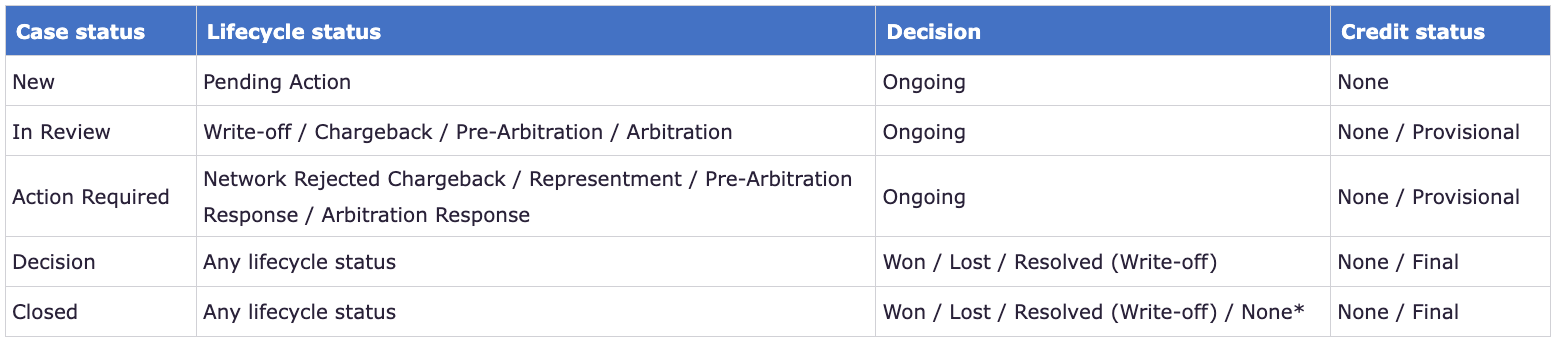 \*Decision “None” means that the dispute was **denied**, i.e. neither written off nor submitted to the network, or that the **network rejected** the chargeback and case was closed without case resubmission
### Note
The note that was entered when the case was submitted is shown below the Account information:
\*Decision “None” means that the dispute was **denied**, i.e. neither written off nor submitted to the network, or that the **network rejected** the chargeback and case was closed without case resubmission
### Note
The note that was entered when the case was submitted is shown below the Account information:
 ### Submission details
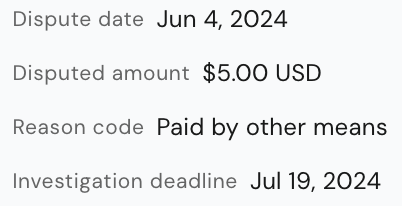
Information about *Disputed date*, *Disputed amount*, *Reason code* and *Investigation deadline*, which is calculated automatically based on network timelines.
### Submission details
Information about *Disputed date*, *Disputed amount*, *Reason code* and *Investigation deadline*, which is calculated automatically based on network timelines.
 ### Applicable regulations and provisional credit requirements
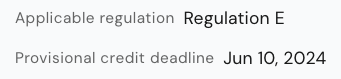
Applicable regulation and provisional credit requirements are populated automatically based on the type of transaction (for example, consumer/commercial, debit/credit).
### Applicable regulations and provisional credit requirements
Applicable regulation and provisional credit requirements are populated automatically based on the type of transaction (for example, consumer/commercial, debit/credit).
 ### Other parameters impacting the dispute flow
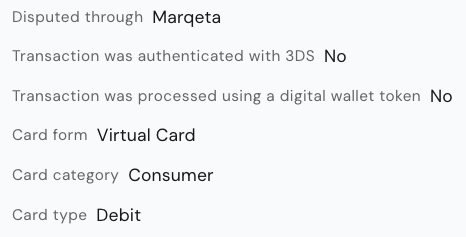
There are various other parameters that impact the dispute flow and eligibility.
* *Disputed through*: While the *Synctera Dispute Case* is not directly integrated with the networks dispute management systems, all transactions are disputed through Marqeta.
* *3DS authentication*: If a transaction was authenticated through 3DS, it is not eligible for a chargeback with the network (i.e. will get rejected by the network).
* *Digital wallet token transaction*: If a transaction was processed using a digital wallet token, it is not eligible for a chargeback with the network (i.e. will get rejected by the network).
* *Card form*: It is of importance to know whether a physical or a virtual card was used for the transaction, as it may impact the decision.
* *Card category*: Rules and regulations are different for consumer and commercial cards.
* *Card type*: Rules and regulations are different for debit and credit cards.
### Other parameters impacting the dispute flow
There are various other parameters that impact the dispute flow and eligibility.
* *Disputed through*: While the *Synctera Dispute Case* is not directly integrated with the networks dispute management systems, all transactions are disputed through Marqeta.
* *3DS authentication*: If a transaction was authenticated through 3DS, it is not eligible for a chargeback with the network (i.e. will get rejected by the network).
* *Digital wallet token transaction*: If a transaction was processed using a digital wallet token, it is not eligible for a chargeback with the network (i.e. will get rejected by the network).
* *Card form*: It is of importance to know whether a physical or a virtual card was used for the transaction, as it may impact the decision.
* *Card category*: Rules and regulations are different for consumer and commercial cards.
* *Card type*: Rules and regulations are different for debit and credit cards.
 Link to *Merchant information* and *POS data* will also be displayed, when available.
### Action history
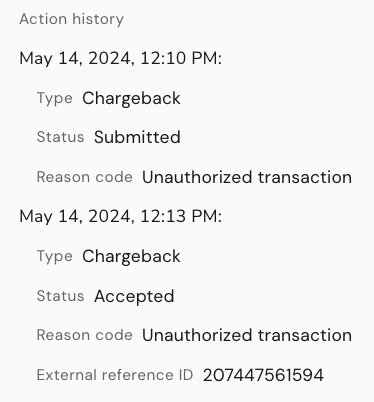
Shows all dispute lifecycle transitions/events:
Link to *Merchant information* and *POS data* will also be displayed, when available.
### Action history
Shows all dispute lifecycle transitions/events:
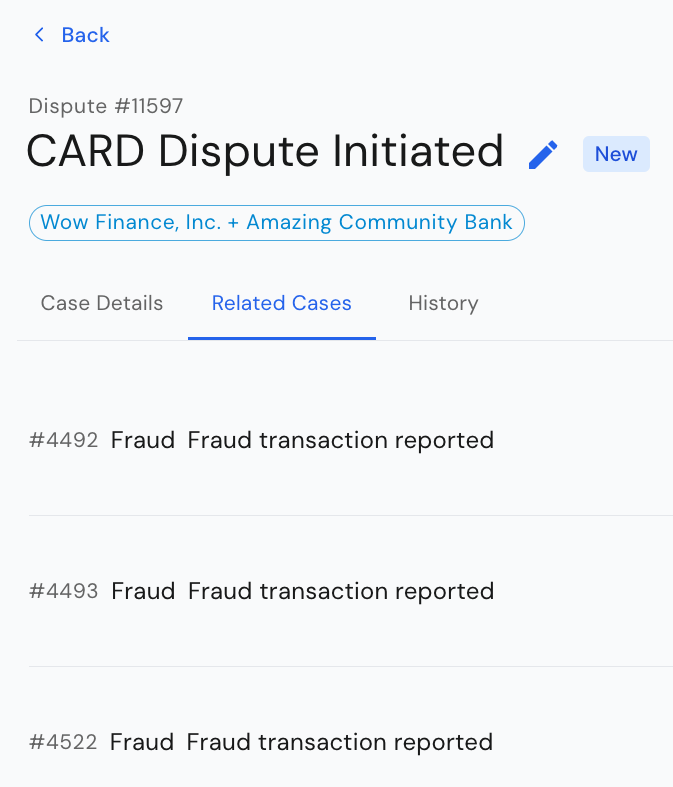
 ### **Related Cases**
The second tab on the Dispute case shows *Related cases*, that is, other dispute cases opened for the same customer. This may help indicate whether a fraud pattern can be established for the customer.
### **Related Cases**
The second tab on the Dispute case shows *Related cases*, that is, other dispute cases opened for the same customer. This may help indicate whether a fraud pattern can be established for the customer.
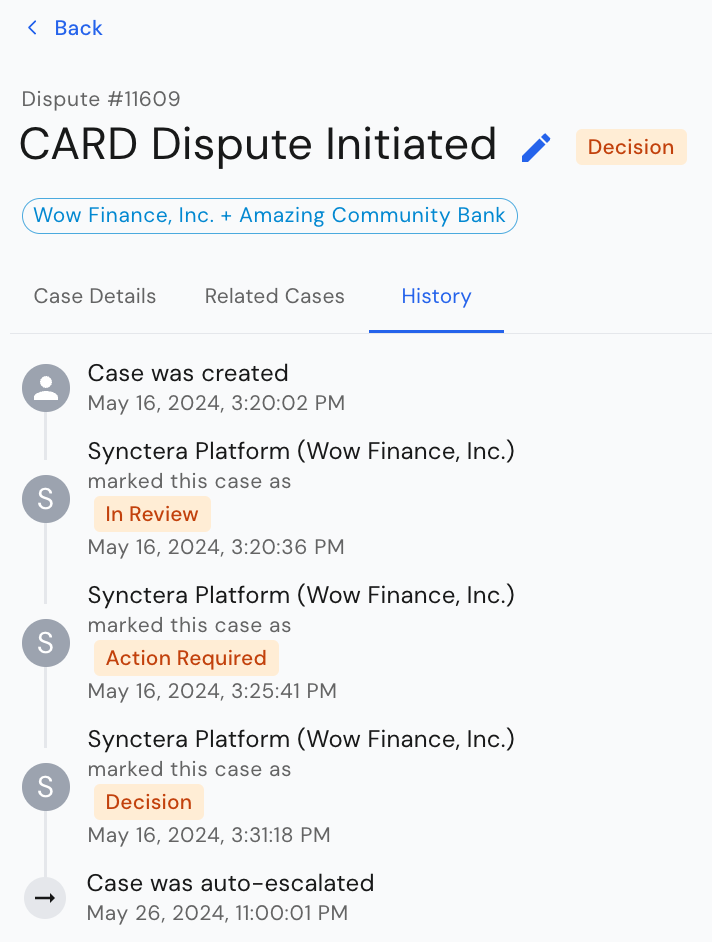
 ### History
The third tab on the Dispute case shows the case *History*, i.e. all the status transitions of the *Synctera Dispute Case*.
### History
The third tab on the Dispute case shows the case *History*, i.e. all the status transitions of the *Synctera Dispute Case*.
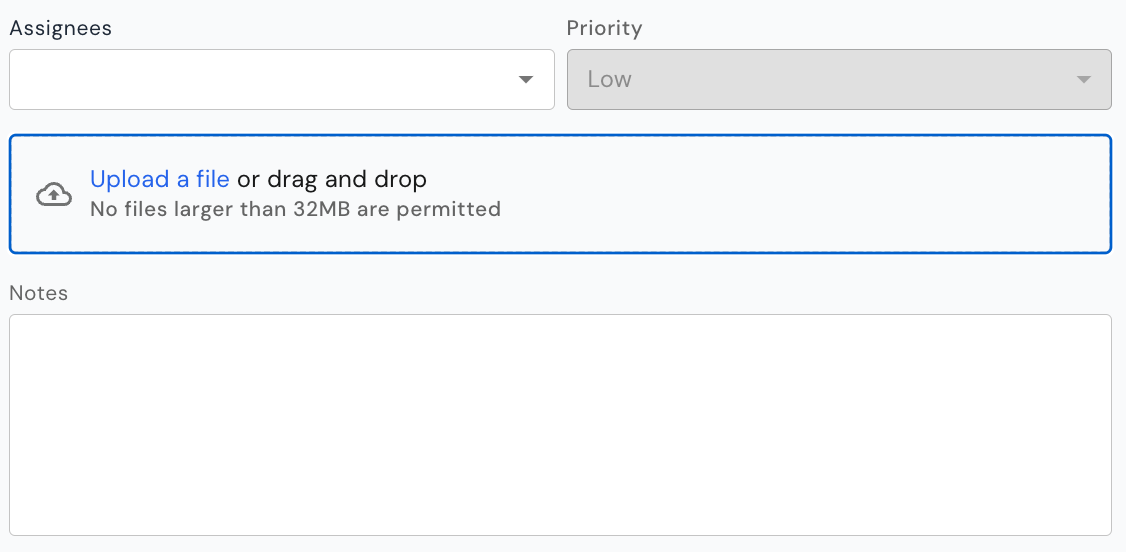
 ## Case assignment and document upload
As for other case types, the Dispute case provides the ability to add an assignee and assign a priority to the case.
In addition, documents can be uploaded to the case at any time, along with notes.
## Case assignment and document upload
As for other case types, the Dispute case provides the ability to add an assignee and assign a priority to the case.
In addition, documents can be uploaded to the case at any time, along with notes.
 ## How to action a case
The system will automatically determine/display the case- and dispute-actions that are available based on:
* The dispute status (lifecycle status / decision)
* Amount threshold - for card transactions, a dispute should not be submitted to the network if the disputed amount is below \$25
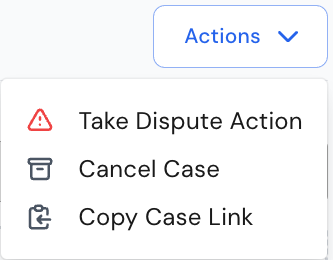
### Take Dispute Action
## How to action a case
The system will automatically determine/display the case- and dispute-actions that are available based on:
* The dispute status (lifecycle status / decision)
* Amount threshold - for card transactions, a dispute should not be submitted to the network if the disputed amount is below \$25
### Take Dispute Action
 Current action limitations
* For disputes going through Mastercard, all dispute actions required to complete the dispute lifecycle are available in the Synctera Dispute Case.
* For disputes going through Marqeta (non-Mastercard disputes), the following limitations to dispute actions in the Synctera Dispute Case apply:
* No actions requiring direct communication with the card networks, such as initiating a chargeback (submitting to network), accepting a representment, etc., can be taken through the Synctera Dispute Case. These actions are handled through the Marqeta case, and then automatically reflected in the Synctera Dispute Case.
* Only actions that to not require communication with the card networks, such as posting of provisional credit, initiation of a write-off, etc., can be taken through the Synctera Dispute Case.
As long as the dispute decision has not been reached, a dispute action can be taken. For all available dispute actions, see [this section](/v2/docs/card-transaction-disputes#available-issuer-actions) in the API Guide for Card Transaction Disputes.
Additional notes:
* Posting of provisional credits is done automatically, [if required by regulations](/v2/docs/card-transaction-disputes#to-summarize), within 10 business days for established accounts and within 20 business days for new accounts. However, there is an action, PROVISIONAL\_CREDIT - CREATE, that can be used for immediate posting of the provisional credit.
* The WRITE\_OFF - CREATE action initiates a write-off/posting of a final credit after 20 days - if a provisional credit exists at that point, it will automatically get reversed.
### Cancel case
In the scenario where the customer would like to cancel a dispute, the case can be canceled as well.
### Close case
In the scenario where a decision has been reached (Decision = Won / Lost / Resolved) or case worker decides to deny the dispute, the case can be closed.
Current action limitations
* For disputes going through Mastercard, all dispute actions required to complete the dispute lifecycle are available in the Synctera Dispute Case.
* For disputes going through Marqeta (non-Mastercard disputes), the following limitations to dispute actions in the Synctera Dispute Case apply:
* No actions requiring direct communication with the card networks, such as initiating a chargeback (submitting to network), accepting a representment, etc., can be taken through the Synctera Dispute Case. These actions are handled through the Marqeta case, and then automatically reflected in the Synctera Dispute Case.
* Only actions that to not require communication with the card networks, such as posting of provisional credit, initiation of a write-off, etc., can be taken through the Synctera Dispute Case.
As long as the dispute decision has not been reached, a dispute action can be taken. For all available dispute actions, see [this section](/v2/docs/card-transaction-disputes#available-issuer-actions) in the API Guide for Card Transaction Disputes.
Additional notes:
* Posting of provisional credits is done automatically, [if required by regulations](/v2/docs/card-transaction-disputes#to-summarize), within 10 business days for established accounts and within 20 business days for new accounts. However, there is an action, PROVISIONAL\_CREDIT - CREATE, that can be used for immediate posting of the provisional credit.
* The WRITE\_OFF - CREATE action initiates a write-off/posting of a final credit after 20 days - if a provisional credit exists at that point, it will automatically get reversed.
### Cancel case
In the scenario where the customer would like to cancel a dispute, the case can be canceled as well.
### Close case
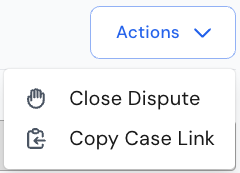
In the scenario where a decision has been reached (Decision = Won / Lost / Resolved) or case worker decides to deny the dispute, the case can be closed.