
Primary regulations
US regulations are strict when it comes to consumer transactions:- Regulation E applies to consumer debit transactions - it mandates issuance of provisional credit to the customer account while the dispute is under investigation
- Regulation Z applies to consumer credit transactions - it mandates that a transaction that is under dispute is not included in the outstanding/due balances, and is not included in the available credit balance
- These regulations also have strict timelines around customer notifications, which is ultimately the responsibility of the FinTech
Best practices
The dispute process is expensive for a FinTech as it carries potential loss of revenue, incurs network fees, and can add management overhead costs. For that reason, it is in the FinTech’s best interest to implement measures to avoid disputes. The following are best practices for avoiding or resolving disputes:- Only posted transactions can be disputed, and for card transactions only if within 120 days from the settlement. A pending transaction cannot be disputed.
- Before creating a dispute, advise the customer to contact the merchant directly to resolve the issue. If the issue cannot be resolved, a dispute can be initiated.
- Request supporting documentation, such as receipts or email communication with the merchant and timelines.
- When a card is reported lost, stolen, or compromised, immediately freeze the card to prevent unauthorized transactions.
- A dispute cannot exceed the amount of the original transaction.
- For card transactions, a dispute should not be submitted to the network if the disputed amount is below $25 (this is validated by the system)
Dispute investigation / lifecycle
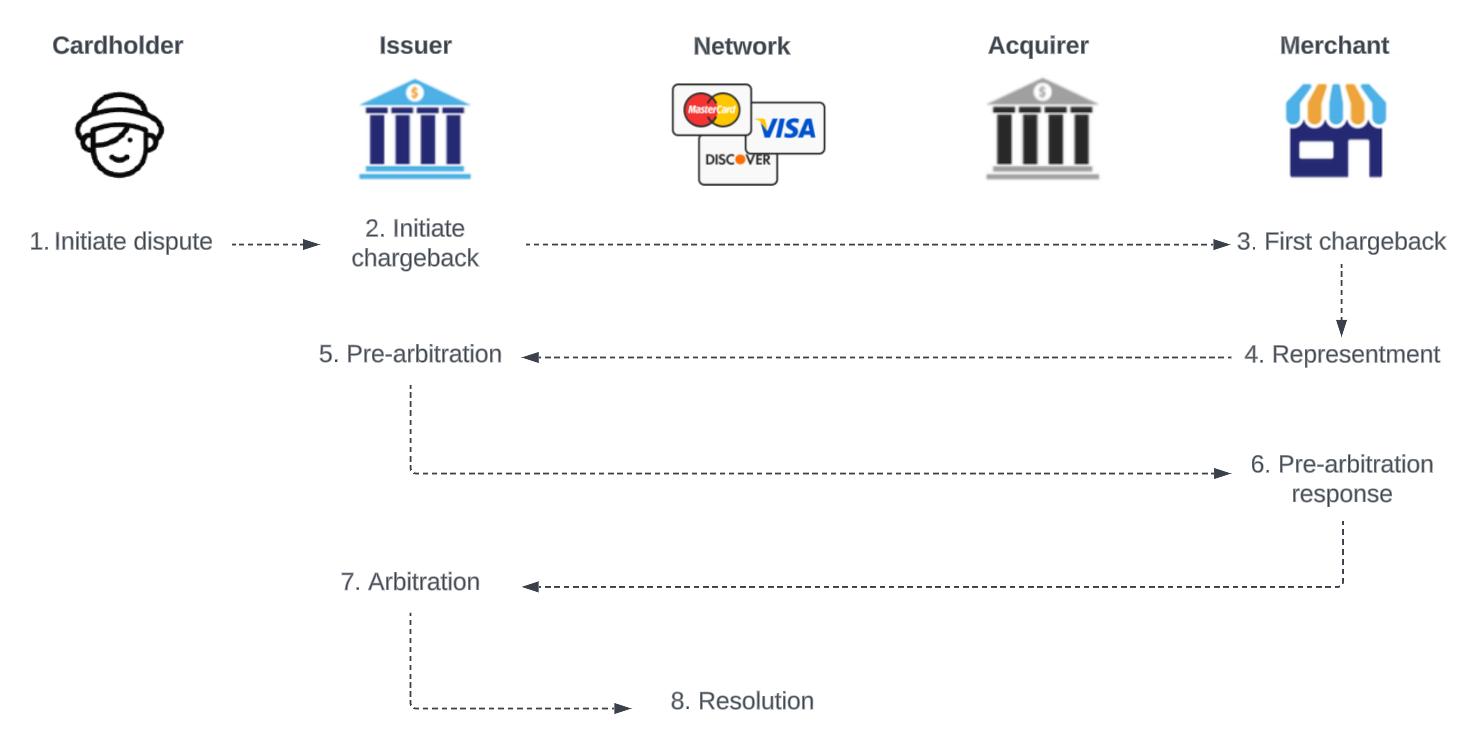
The image below shows the high-level flow between the different actors in the card transaction dispute lifecycle:- The cardholder: The customer, initiates or requests the dispute to be initiated
- The issuer: The issuer of the card (FinTech backed by sponsor bank), receives the complaint from the customer and ensures that the dispute is investigated
- The network: Mastercard/Visa, facilitates the communication between the issuer and the acquirer and enforces rules, and acts as the final judge if the case proceeds to the arbitration phase
- The acquirer: The merchant’s bank, manages the dispute process on behalf of the merchant
- The merchant: The business from which the cardholder purchased goods/services, receives notice of the dispute from the acquirer and gathers evidence to fight the chargeback
Responsibilities - FinTech / sponsor bank / Synctera
- Initiating a dispute:
- The FinTech is responsible for initiating the transaction dispute on behalf of the customer. How to initiate a dispute through the Synctera Console is described here.
- As part of initiating the dispute, the FinTech provides reason codes and compelling evidence. See this article for more information.
- Reviewing a dispute:
- Once the FinTech has initiated the dispute, a Dispute case is automatically created on the Synctera platform.
- From this point, Synctera’s Ground Control team handles the dispute case, and determines whether it should be:
- denied - not eligible for chargeback
- written off - low-value transactions
- submitted to the network for chargeback
- Issuing a provisional credit:
- The Synctera system will automatically issue a provisional credit when required by regulations - 10 business days from dispute reporting for established accounts and 20 business days from dispute reporting for new accounts.
- Monitoring dispute progress:
- The Synctera system automatically updates the case/dispute status based on network progress. The Synctera Ground Control team ensures that any required actions are taken within investigation deadlines that the system sets automatically based on regulations.
- Dispute resolution:
- When a case reslution is reached, the Synctera system automatically updates the case and does the necessary postings, including reversing provisional credit and posting a final credit, when applicable.
- Notifying customer according to regulations:
FinTech-managed write-offs or provisional creditsFinTechs have the option to manage provisional credits and write-offs independently.For example, a FinTech might manage provisional credits themselves to make funds available earlier than Synctera’s standard timelines (10 business days for established accounts; 20 business days for new accounts).To configure these capabilities, please reach out to your Implementation & Onboarding manager.
The dispute flow on the Synctera platform
The below flow diagram shows the different actions that the issuer and the acquirer can take throughout the transaction dispute lifecycle. It also shows what dispute lifecycle status and decision status is at each stage in the flow.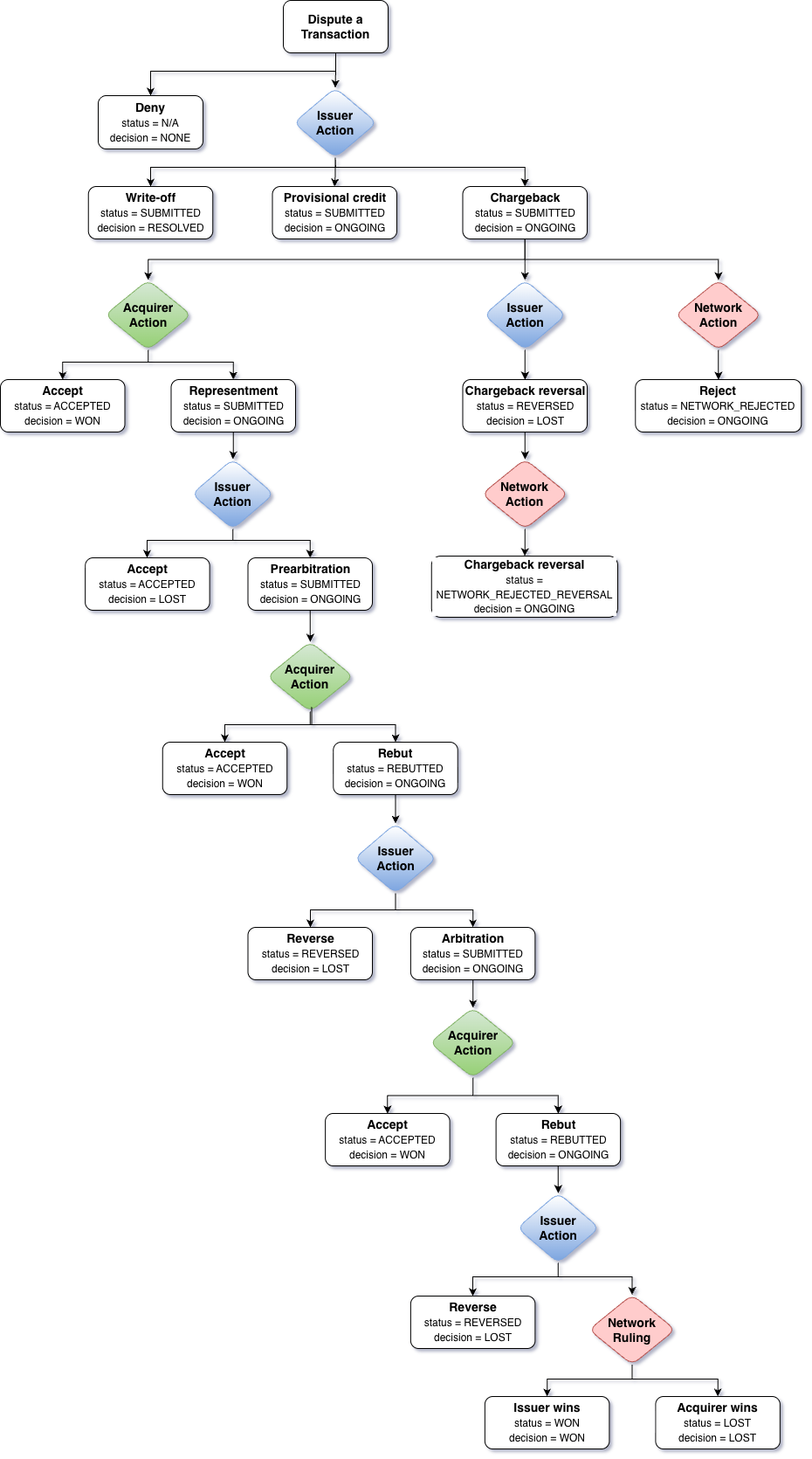
- Dispute a transaction:
- FinTech (representing the issuer) receives a dispute request from cardholder, and initiates a dispute on the Synctera platform, which automatically creates a dispute case.
- Issuer action:
- The Synctera Ground Control team investigates the dispute and determines, with the help of the system, whether it is eligible for a chargeback.
- If not eligible, the dispute is denied and the case closed.
- If eligible, the Ground Control team either:
- Submits a network chargeback by sending a notice to the acquiring bank through the card network.
- In case a refund is received from the merchant after the chargback is initated, the dispute can be reversed by Ground Control or automatically rejected by the network.
- Writes off the dispute (applicable for low-volume transactions)
- Submits a network chargeback by sending a notice to the acquiring bank through the card network.
- Chargeback initiated -> acquirer action:
- If the issuer submitted the chargeback to the network, the acquiring bank informs the merchant of the chargeback. The merchant reviews the chargeback information and decides whether to accept or file a representment.
- If the merchant chooses to dispute the chargeback, they respond to the acquiring bank with evidence to support their case.
- Representment -> issuer action:
- If the merchant filed a representment, the issuer is notified of the representment. Ground Control evaluates the merchant’s response and decides whether to accept or dispute the representment by submitting a pre-arbitration request.
- Pre-arbitration:
- During the pre-arbitration step, the issuing bank and acquiring bank attempt to agree on the chargeback.
- The merchant can decide to accept the loss or rebut the pre-arbitration request.
- If the issuer agrees agrees with the merchant’s pre-arbitration response, they reverse the request. Alternatively, they can take the case to arbitration with the network.
- Arbitration:
- Unless merchant or issuer agree on a resolution, the network (arbitrator) reviews the chargeback and makes a final decision, either in favor of the issuer or the merchant. The decision is final and binding on both the merchant and the issuing bank.
How to submit a card transaction dispute?
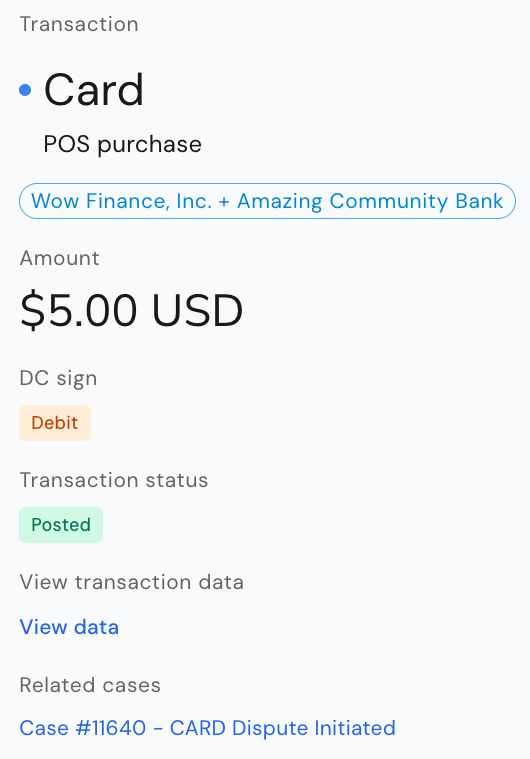
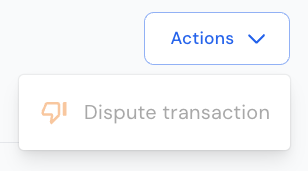
To dispute a cleared/posted transaction in the Synctera Console, go to Posted Transactions and Actions in the top right corner of the screen.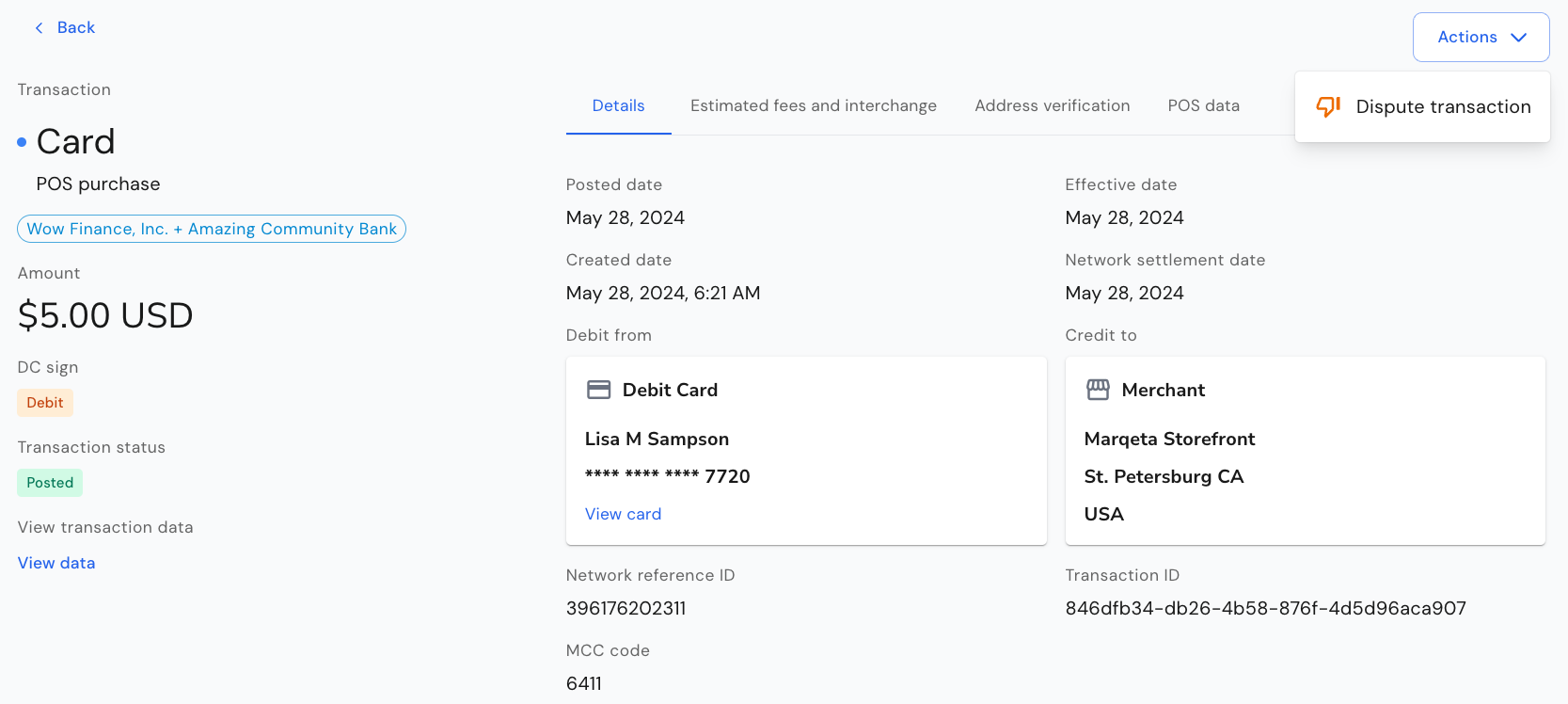
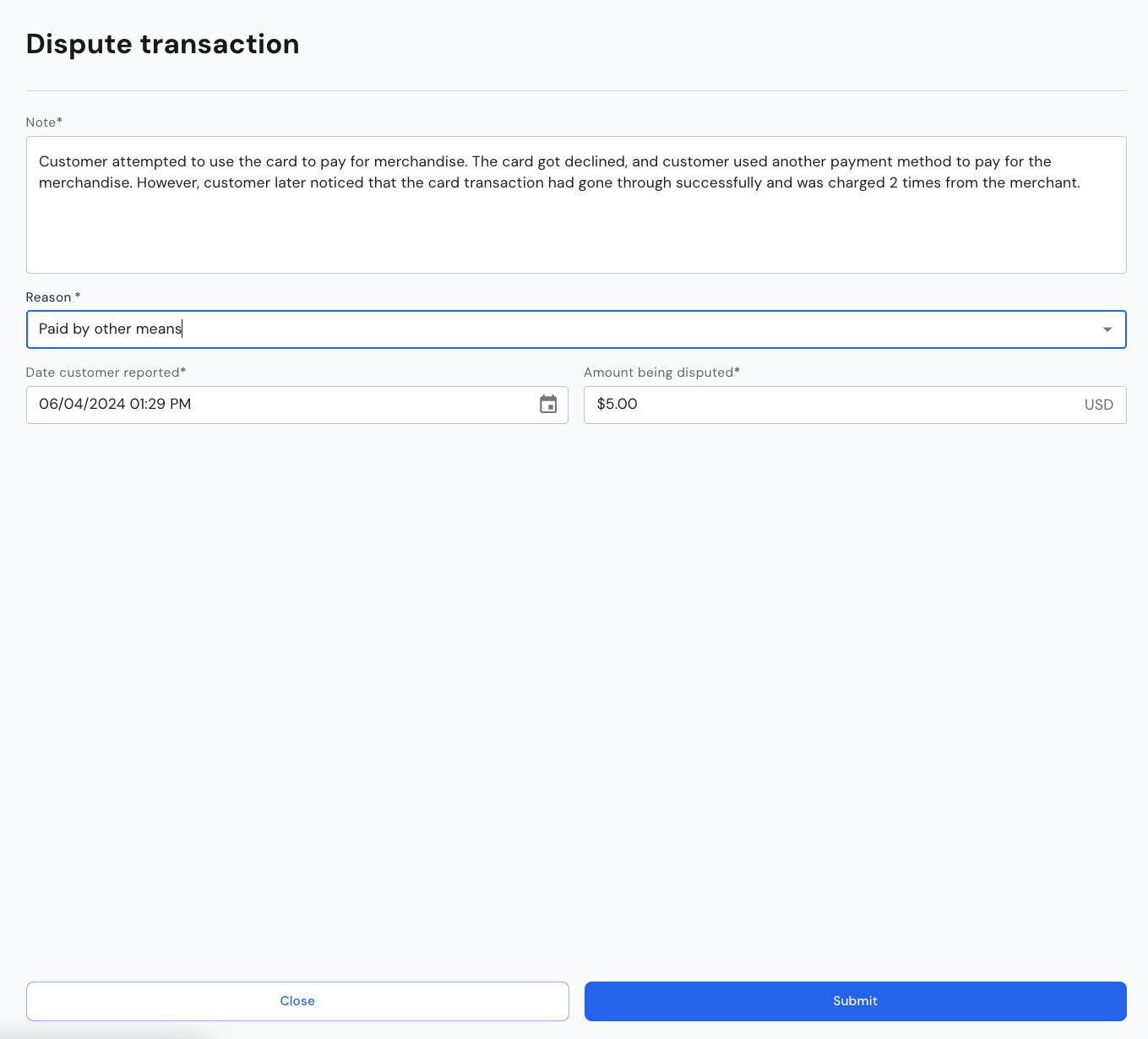
- Note:
- Information about the dispute, typically what the customer provides when submitting the dispute to the FinTech
- Dispute reason:
- The reason for the dispute - this reason may be overridden with a more appropriate/correct reason by the team reviewing the dispute
- For dispute reasons, see here
- Date reported:
- The date reported by customer is important for establishing the correct deadlines for provisional credit and investigation
- Disputed amount:
- This will be defaulted to the amount of the transaction being disputed on, in case of a partial dispute, to the remaining undisputed amount
What happens when the dispute is submitted?
- When the dispute is submitted, a dispute record is automatically created, and subsequently also the Synctera Dispute Case.
- Unless the transaction is disputed through Mastercard, the case worker then needs to submit the case on Marqeta as Marqeta handles the communication with the networks’ dispute management systems for non-Mastercard disputes.
- Any status updates on Mastercard or Marqeta are automatically reflected in the Synctera Dispute Case.
What’s displayed for Card Dispute cases
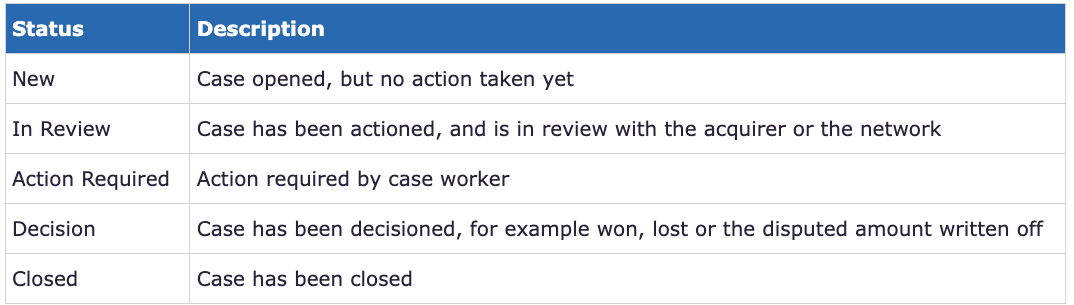
Case status
The case status is shown at the top of the Dispute case - to the right of the case description.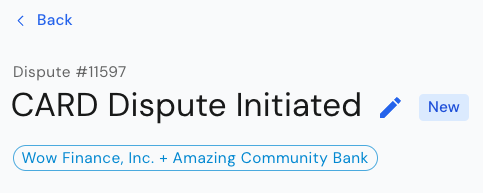
Customer
Shows information about the Customer to which the disputed transaction applies - click on the View Customer link to view full customer details: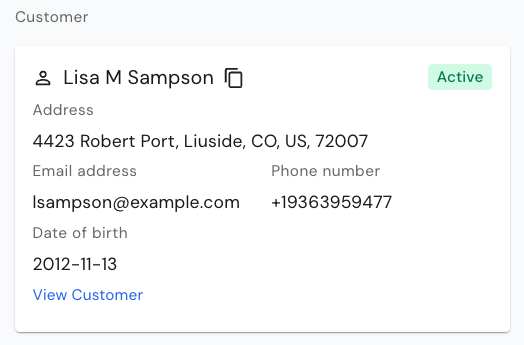
Transaction
Shows information about the Transaction being disputed - click on the View Transaction link to view full transaction details: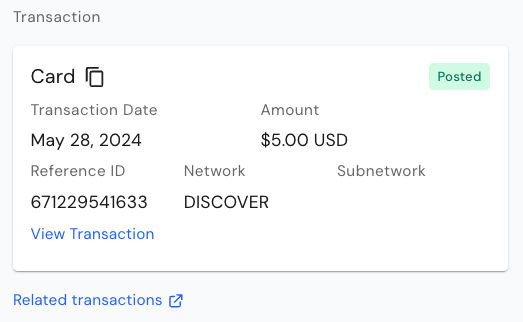
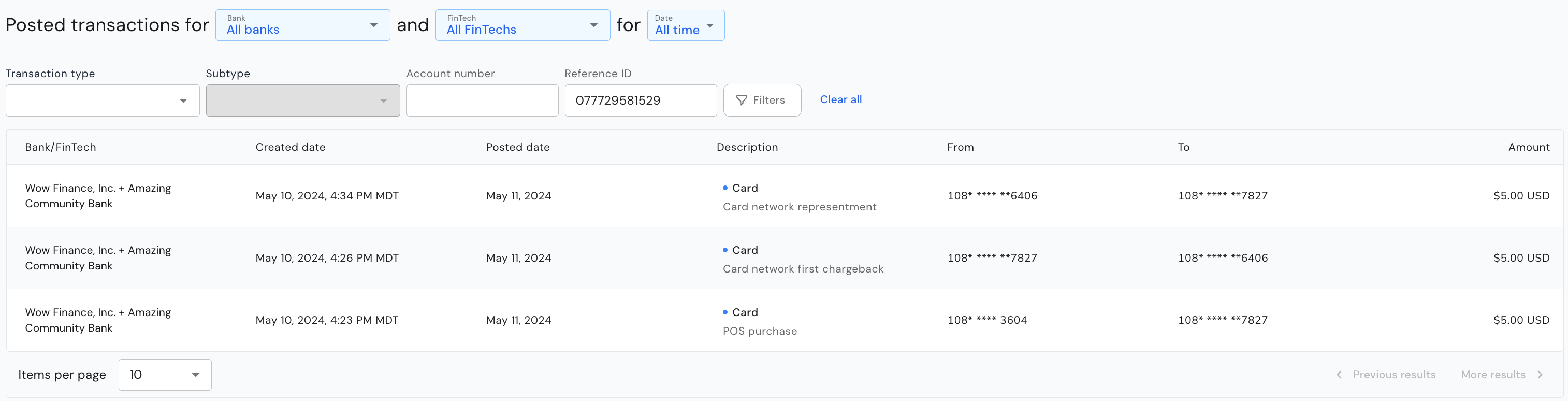
Account
Shows information about the Account to which the disputed transaction applies - click on the View Account link to view full account details: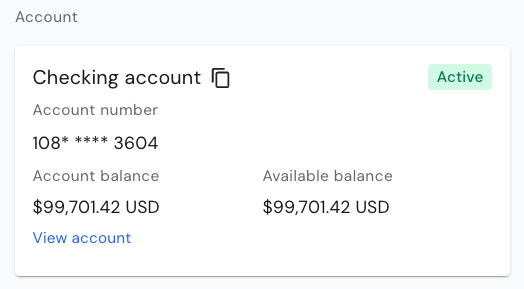
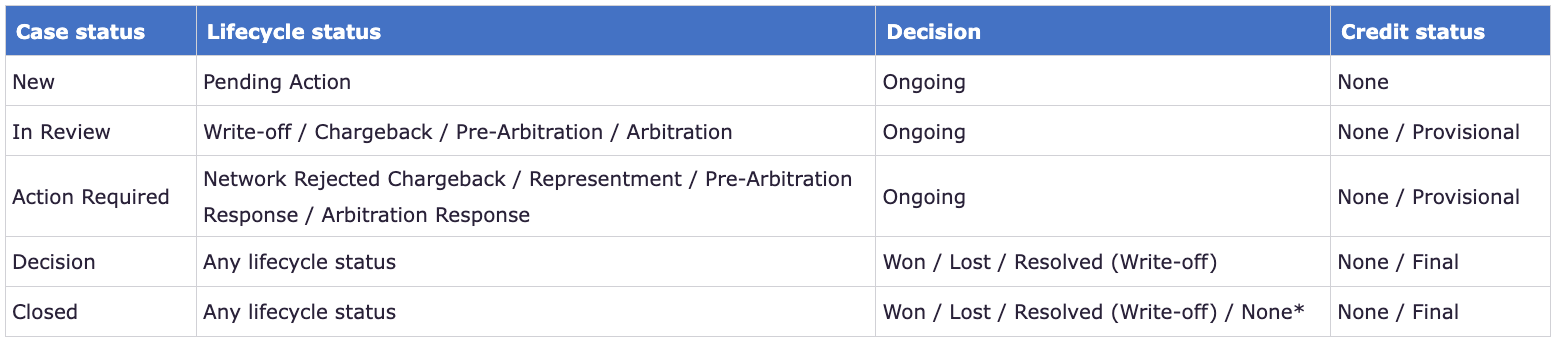
Lifecycle status, Decision and Credit status
Together, the Lifecycle status, Decision and Credit status tell you where the dispute is at.- The Lifecycle status tells you in which step in the dispute flow the dispute is
- The Decision tells you if a decision has been reached
- The Credit status tells you if a provisional credit or a final credit was posted or not



Note
The note that was entered when the case was submitted is shown below the Account information:
Submission details
Information about Disputed date, Disputed amount, Reason code and Investigation deadline, which is calculated automatically based on network timelines.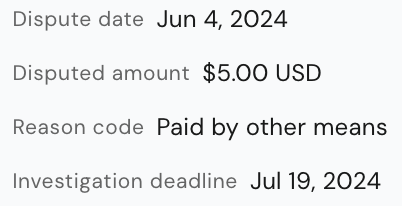
Applicable regulations and provisional credit requirements
Applicable regulation and provisional credit requirements are populated automatically based on the type of transaction (for example, consumer/commercial, debit/credit).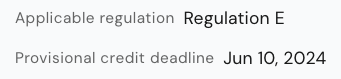
Other parameters impacting the dispute flow
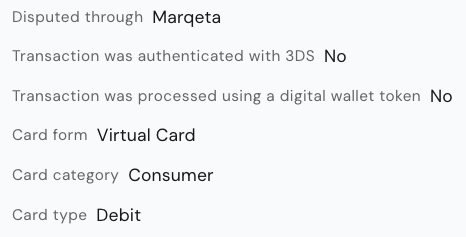
There are various other parameters that impact the dispute flow and eligibility.- Disputed through: While the Synctera Dispute Case is not directly integrated with the networks dispute management systems, all transactions are disputed through Marqeta.
- 3DS authentication: If a transaction was authenticated through 3DS, it is not eligible for a chargeback with the network (i.e. will get rejected by the network).
- Digital wallet token transaction: If a transaction was processed using a digital wallet token, it is not eligible for a chargeback with the network (i.e. will get rejected by the network).
- Card form: It is of importance to know whether a physical or a virtual card was used for the transaction, as it may impact the decision.
- Card category: Rules and regulations are different for consumer and commercial cards.
- Card type: Rules and regulations are different for debit and credit cards.
Action history
Shows all dispute lifecycle transitions/events: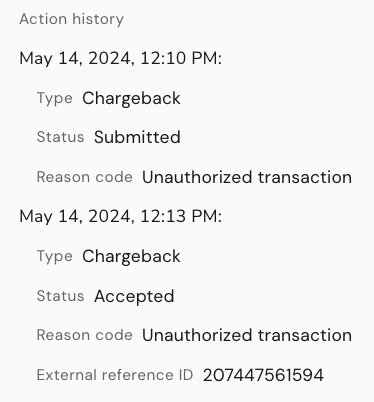
Related Cases
The second tab on the Dispute case shows Related cases, that is, other dispute cases opened for the same customer. This may help indicate whether a fraud pattern can be established for the customer.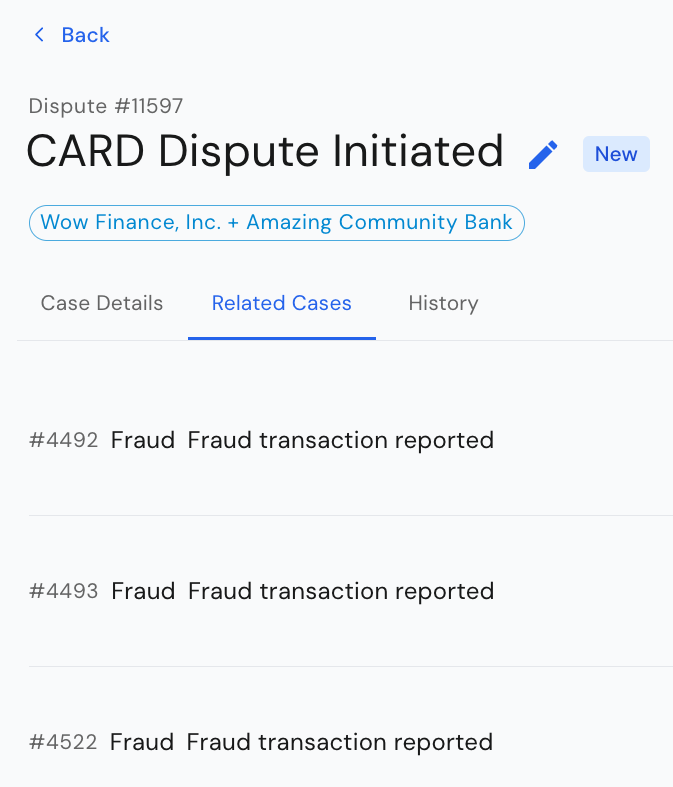
History
The third tab on the Dispute case shows the case History, i.e. all the status transitions of the Synctera Dispute Case.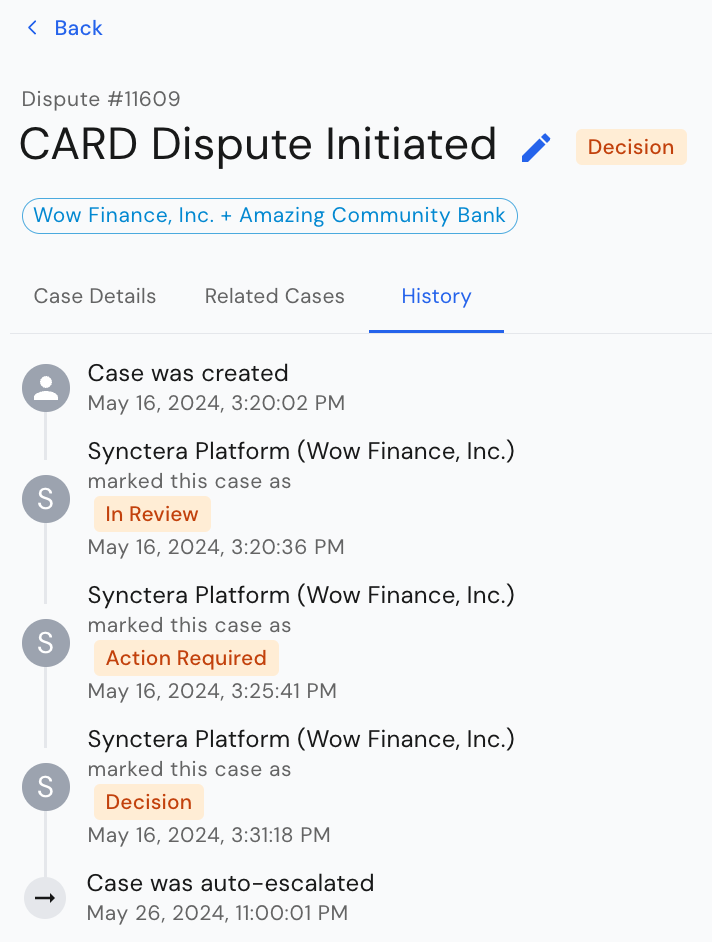
Case assignment and document upload
As for other case types, the Dispute case provides the ability to add an assignee and assign a priority to the case. In addition, documents can be uploaded to the case at any time, along with notes.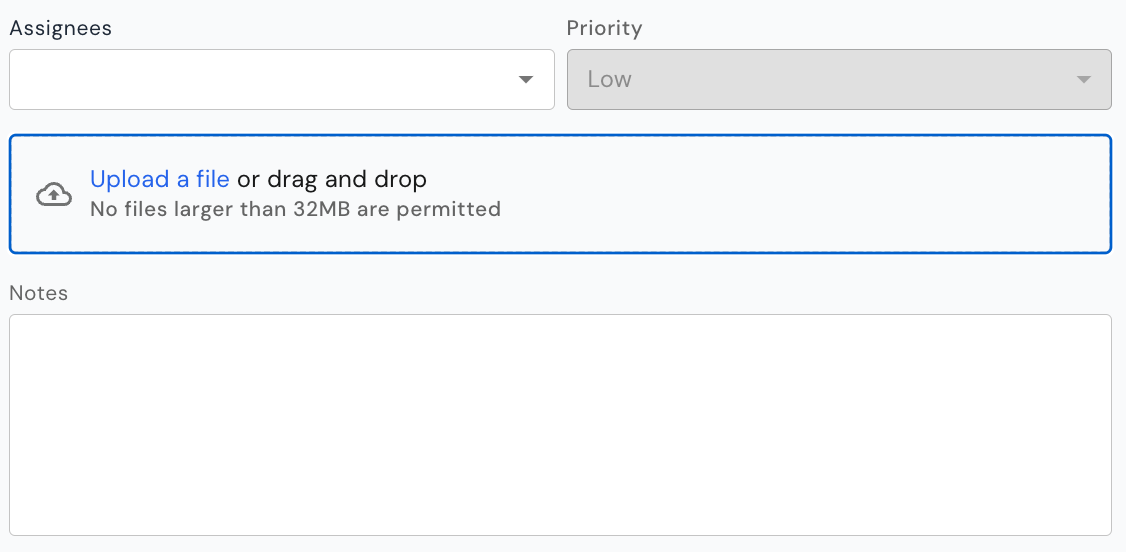
How to action a case
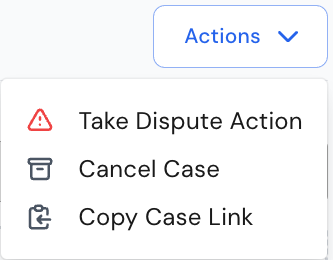
The system will automatically determine/display the case- and dispute-actions that are available based on:- The dispute status (lifecycle status / decision)
- Amount threshold - for card transactions, a dispute should not be submitted to the network if the disputed amount is below $25
Take Dispute Action
Current action limitations
- For disputes going through Mastercard, all dispute actions required to complete the dispute lifecycle are available in the Synctera Dispute Case.
- For disputes going through Marqeta (non-Mastercard disputes), the following limitations to dispute actions in the Synctera Dispute Case apply:
- No actions requiring direct communication with the card networks, such as initiating a chargeback (submitting to network), accepting a representment, etc., can be taken through the Synctera Dispute Case. These actions are handled through the Marqeta case, and then automatically reflected in the Synctera Dispute Case.
- Only actions that to not require communication with the card networks, such as posting of provisional credit, initiation of a write-off, etc., can be taken through the Synctera Dispute Case.
- Posting of provisional credits is done automatically, if required by regulations, within 10 business days for established accounts and within 20 business days for new accounts. However, there is an action, PROVISIONAL_CREDIT - CREATE, that can be used for immediate posting of the provisional credit.
- The WRITE_OFF - CREATE action initiates a write-off/posting of a final credit after 20 days - if a provisional credit exists at that point, it will automatically get reversed.
Cancel case
In the scenario where the customer would like to cancel a dispute, the case can be canceled as well.Close case
In the scenario where a decision has been reached (Decision = Won / Lost / Resolved) or case worker decides to deny the dispute, the case can be closed.