

Prerequisites
This guide assumes that you are already familiar with the customer and account APIs, and have one or more accounts created. If this is not the case, refer to the following guides:Customers
Business Customers
KYC/KYB Verification
Accounts
Statement generation
The V0 version of this API only supports statements for
CHECKING and SAVING accounts. More account types are currentlu supported. For the full specification of V2, see our V2 Statement Guide.
Once a statement is generated, a notification will be sent via webhook. Please refer to the Webhook Events section for details.
Statement content
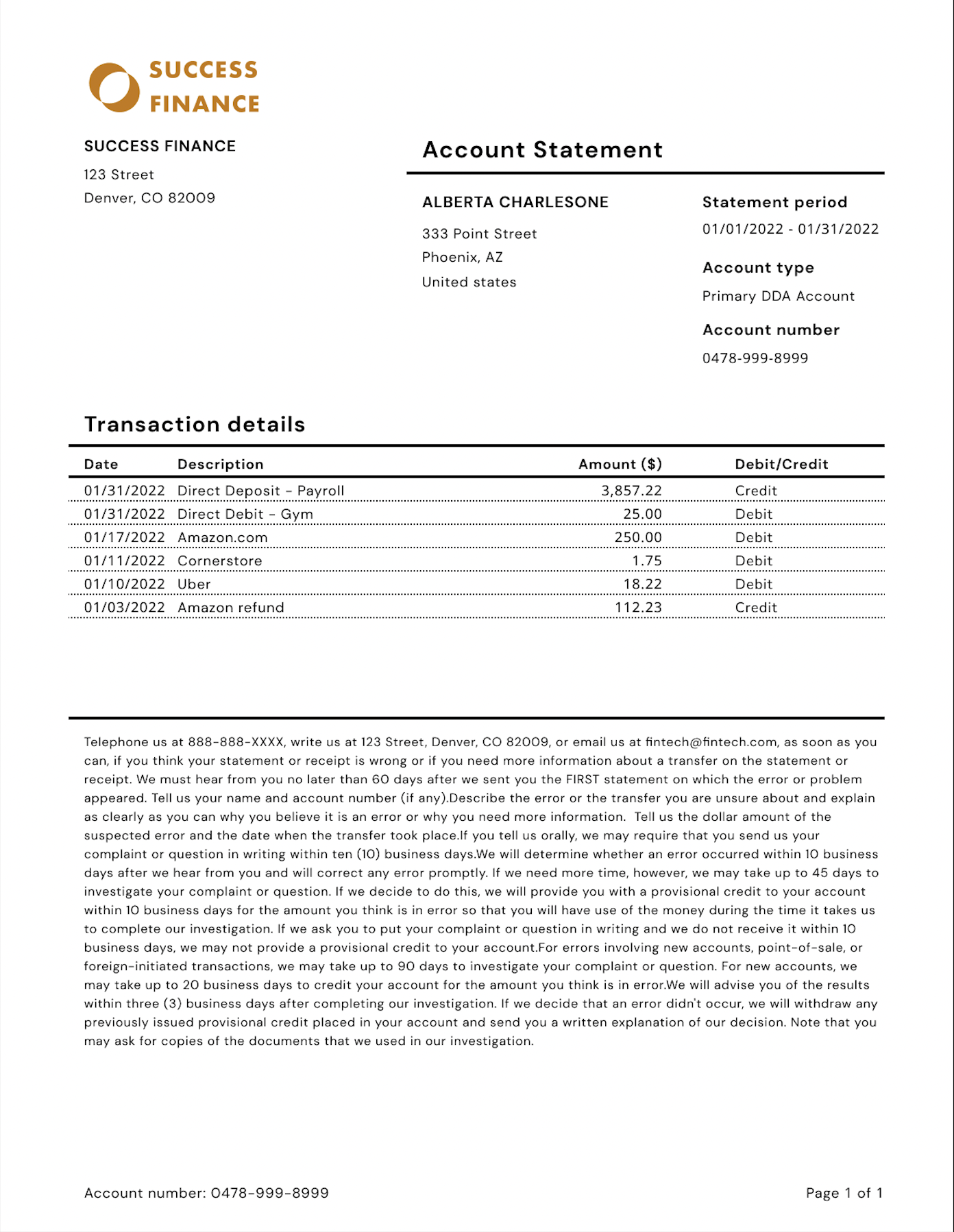
In order to produce regulatory-compliant, human-readable statements, this API provides the following information:
For more details about the schema returned by this API, please refer to the Statements API specification.
Here is a sample statement produced using the information provided by this API:
Webhook Events
This section assumes you are familiar with our webhook API. If not, please see the webhooks guide for more context.
STATEMENT.CREATED. The event will contain a full version of the statement payload, following the spec outlined in the Statements API specification.
Please note that if a statement contains an excessive number of transactions, the system may opt to return an empty list in the webhook notification to the subscriber due to technical limitations. This will be reflected in the payload with transactions_omitted set to "true" and an empty transactions attribute.
API Workflow
1
Step 1: List the statements for a given account
If statements are available for an account, you can retrieve a summarized list by calling This route only gives high-level details about each statement. Once you know the ID of the statement you’re looking for, you can retrieve details about that statement.
GET /v0/statements, with an account_id query parameter:2
Step 2: Retrieve the details for a given statement
With a statement ID, you’ll be able to pull detailed information about the statement:
Transaction information will be omitted from the statement detail response payload in future versions of the API. We recommend that all existing clients migrate to calling the dedicated transactions endpoint instead of relying on the
transactions attribute.3
Step 3: List the transactions for a statement
With a statement ID, you’ll be able to pull the list of transactions that pertain to that statement:This list will only include posted transactions at the time of statement generation. These are also only returned to you in descending order of posted date.