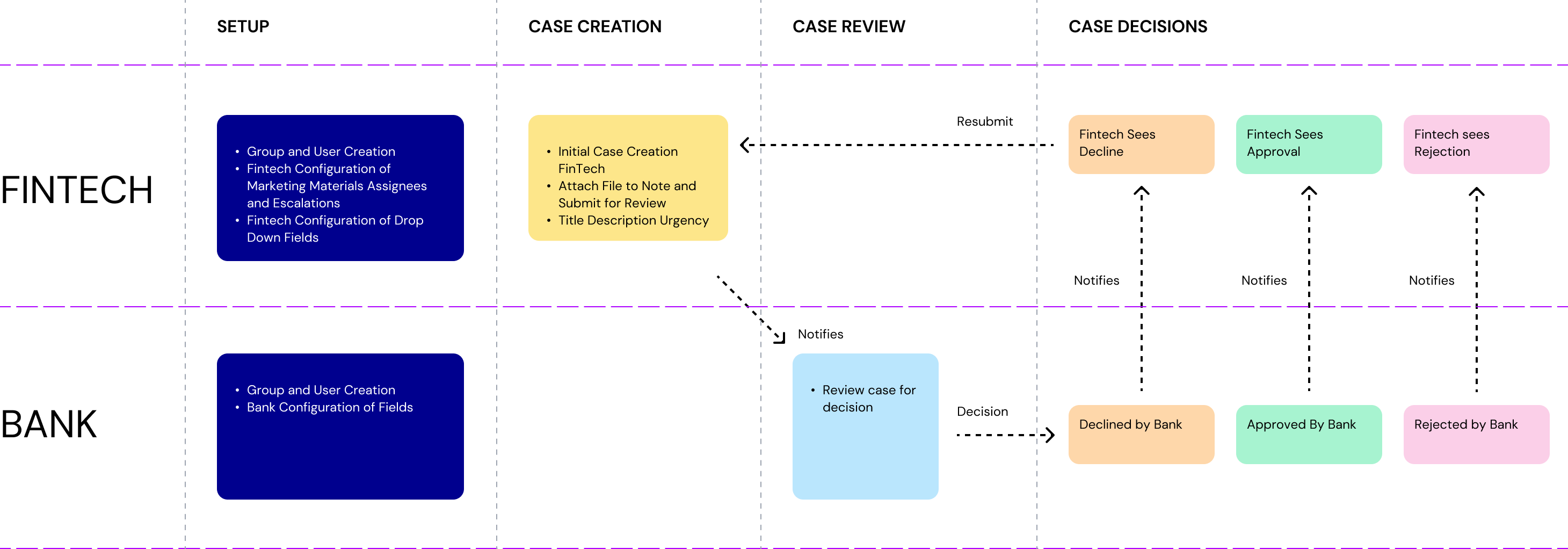
With Synctera, everything occurs within the platform, ensuring all changes and approvals are kept relative to the partnership in context.
When to use
The Marketing Materials case type is intended for partnerships that require a seamless experience for sharing for getting approvals on FinTech marketing materials when creating a product offering or updating an existing products’ marketing.
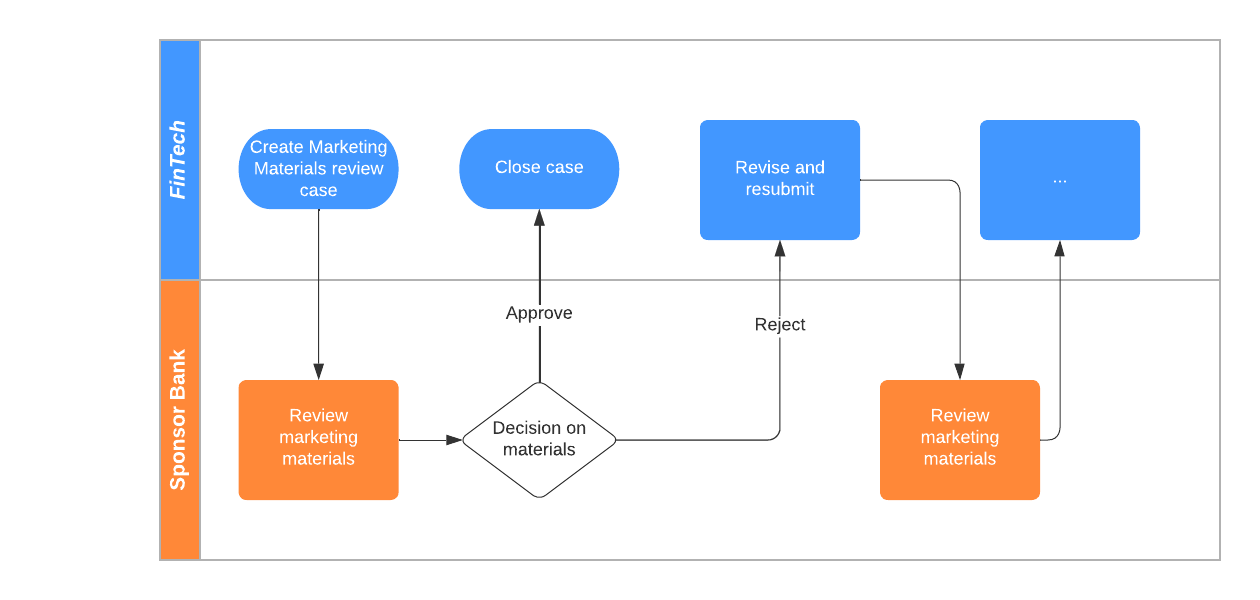
A workflow example for a typical Marketing Material Case
Reviewing and decisioning cases
There are 3 actions that Bank Ops can take:
- Approve Case: Use this when the Bank is comfortable with the marketing material being released.
- Reject Case and Send Back: Use this when the Bank has comments, feedback, or change requests to the original material that need to be updated in order to meet the Bank’s comfort for public release.
- In this case, add your comments in “Notes” and then click “Reject Case and Send Back”. The FinTech Partner will then upload updated materials or provide notes and re-submit the Case. This will continue until the Bank either Approves the Case or Declines the Case.
- Decline Case: Use this when the Bank is not comfortable with the marketing material being released.
Review and approve
Review and decline
Review and reject
Creating groups and users
You can create a number of user groups and users that will automatically be notified of any new marketing material case.
It’s always a good practice to have a case notify a group, in case one or more of your users are not available - and it’s also much easier to add/remove users from a single place when you have a large team.
Roles and Responsibilities