

Reveal Card Widget
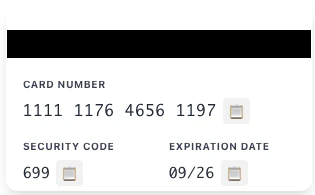
Securely display sensitive card information — card number (PAN), security code (CVV), and expiration date.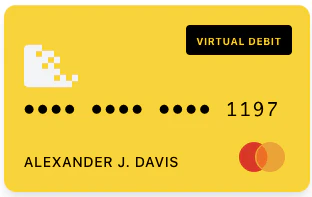
Activate Card Widget
Allow customers to activate a physical card by entering their card number and security code.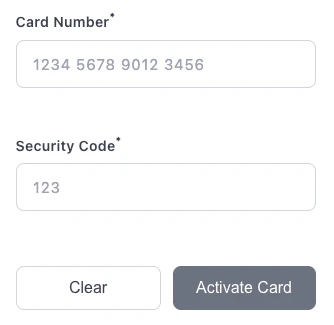
Set PIN Widget
Allow customers to set or change their card PIN with secure confirmation.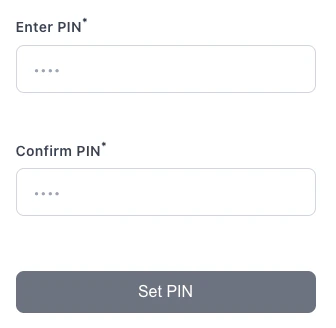
Reveal PIN Widget
Securely display a cardholder’s existing PIN, with an auto-hide countdown. The PIN is rendered inside an isolated iframe and never exposed to your page.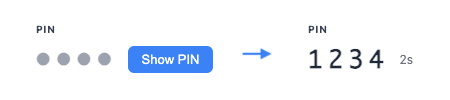
Getting Started
Make sure you’ve got the necessary components in place before integrating widgets with your application.API Keys
First, ensure you have your Synctera API Keys working for your business.Mobile Applications
If you’re integrating the widgets in a mobile application, you may need to use one of the following web views:WKWebView in an iOS application
WebView in an Android application
WebView in React Native
Content Security Policy
If your application sets a Content Security Policy, you must allow the Synctera widget domains. The widgets load scripts and create iframes from Synctera-hosted origins, so a strict CSP that omits these domains will silently block the widgets from rendering. Add the following directives for your environment:If you use
nonce-based script policies, the widget’s <script> tag must carry the same nonce. Alternatively, add the domain to script-src as shown above.Synctera Widgets (Recommended)
Synctera provides a set of secure, PCI-compliant Web Component widgets for card interactions. These widgets are the recommended approach for integrating card functionality into your application.Activate Card Widget
Activate physical cards by entering Card Number and CVV
Set PIN Widget
Set or change the card PIN with confirmation
Reveal Card Widget
Display sensitive card information (PAN, CVV, expiration)
Reveal PIN Widget
Securely display a card’s PIN with an auto-hide countdown
Theming & Design Tokens
Customize widget colors, fonts, and styling with design tokens
Legacy: Marqeta Widgets (Deprecated)
If you are currently using Marqeta widgets or need to reference the legacy documentation:Migration Guide
Migrate from Marqeta widgets to Synctera widgets
Marqeta Widgets
Legacy Marqeta widget documentation