This is the Version 2 (V2) Card transaction disputes guide. For the Version 1 flow, see Card transaction disputes V1.The planned rollout for this Version 2 (V2) of Synctera’s Dispute Management is as follows:
Key changes between V1 and V2:
- Reason codes have been streamlined (although backwards compatibility is ensured for deprecated reason codes)
- A few new lifecycle states have been added, for example:
- Evidence gathering - to ensure the required evidence is provided up front to strengthen the case
- More granular states for a declined dispute - Withdrawn / Refunded / Expired / Rejected
- A new FinTech action has been added - Complete evidence gathering - to ensure the FinTech has provided required evidence/documentation up front
- Dispute document categories have been added - some reason codes require certain document categories to be included on submission
Primary regulations
US regulations are strict when it comes to consumer transactions:- Regulation E applies to consumer debit transactions - it mandates issuance of provisional credit to the customer account while the dispute is under investigation
- Regulation Z applies to consumer credit transactions - it mandates that a transaction that is under dispute is not included in the outstanding/due balances, and is not included in the available credit balance
- These regulations also have strict timelines around customer notifications, which is ultimately the responsibility of the FinTech
Best practices
The dispute process is expensive for a FinTech as it carries potential loss of revenue, incurs network fees, and can add management overhead costs. For that reason, it is in the FinTech’s best interest to implement measures to avoid disputes. The following are best practices for avoiding or resolving disputes:- Only posted transactions can be disputed, and for card transactions only if within 120 days from the settlement. A pending transaction cannot be disputed.
- Before creating a dispute, advise the customer to contact the merchant directly to resolve the issue. If the issue cannot be resolved, a dispute can be initiated.
- Request supporting documentation, such as receipts or email communication with the merchant and timelines.
- When a card is reported lost, stolen, or compromised, immediately freeze the card to prevent unauthorized transactions.
- A dispute cannot exceed the amount of the original transaction.
- For processing cost reasons, a card transaction dispute below $25 is typically written off and not submitted to the network.
FinTechs can contact their Synctera representative to change the write-off threshold amount for their program.
Dispute investigation / lifecycle
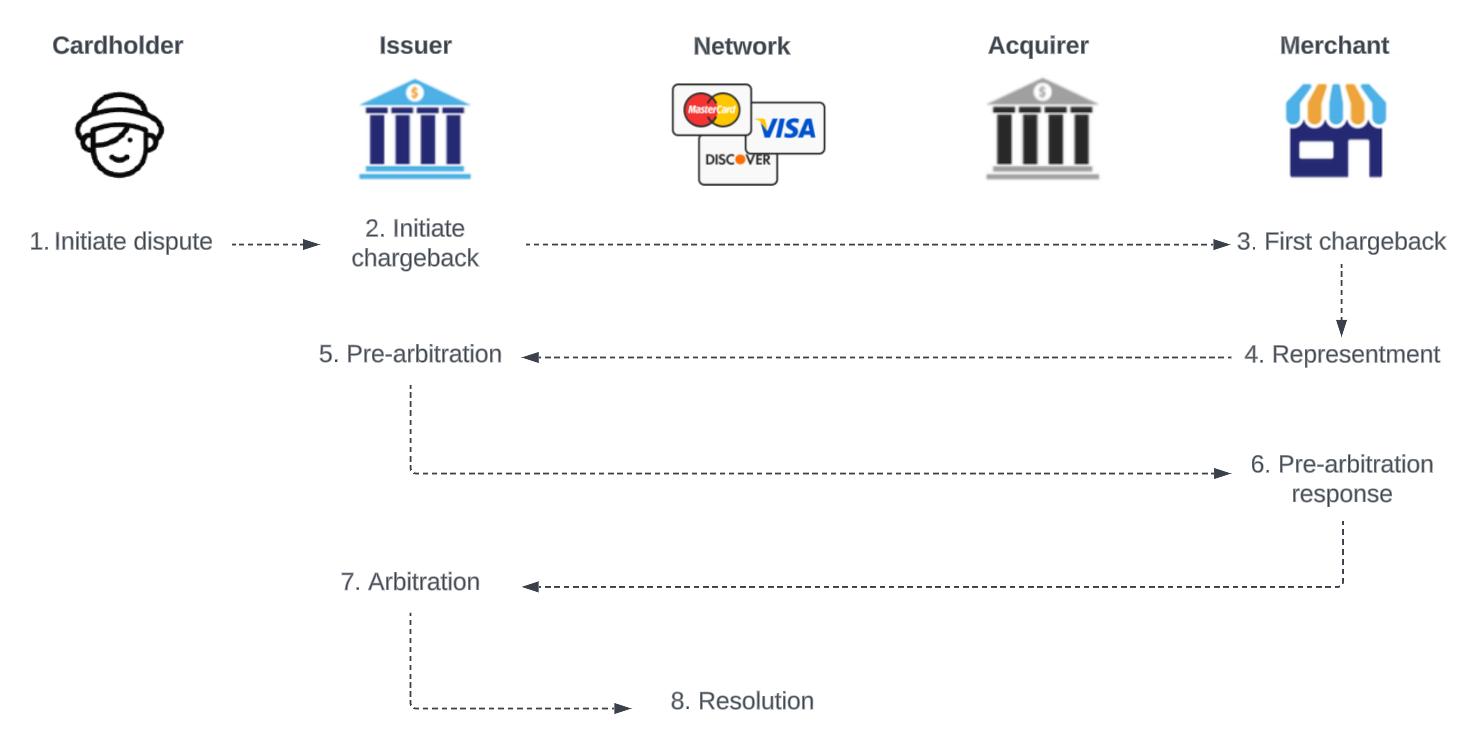
The image below shows the high-level flow between the different actors in the card transaction dispute lifecycle:- The cardholder: The customer, initiates or requests the dispute to be initiated
- The issuer: The issuer of the card (FinTech backed by sponsor bank), receives the complaint from the customer and ensures that the dispute is investigated. Note that the Synctera Dispute Management system/team also acts on behalf of the issuer.
- The network: Mastercard/Visa, facilitates the communication between the issuer and the acquirer and enforces rules, and acts as the final judge if the case proceeds to the arbitration phase
- The acquirer: The merchant’s bank, manages the dispute process on behalf of the merchant
- The merchant: The business from which the cardholder purchased goods/services, receives notice of the dispute from the acquirer and gathers evidence to fight the chargeback
Responsibilities - FinTech / sponsor bank / Synctera
- Initiating a dispute:
- The FinTech is responsible for initiating the transaction dispute on behalf of the customer. How to initiate a dispute through the Synctera Console is described here.
- As part of initiating the dispute, the FinTech provides reason codes and compelling evidence. See this article for more information.
- Reviewing a dispute:
- Once the FinTech has initiated the dispute, a dispute case is automatically created on the Synctera platform.
- From this point, the dispute case is handled by Synctera’s Dispute Management system/team, that determine whether the case should be:
- denied/rejected - not eligible for chargeback
- written off - low-value transactions
- submitted to the network for chargeback
- The case could also be withdrawn at cardholder’s request or closed if a refund was already issued by the merchant.
- Issuing a provisional credit:
- The Synctera system will automatically issue a provisional credit when required by regulations - 10 business days from dispute reporting for established accounts and 20 business days from dispute reporting for new accounts.
FinTech can use the
Create - Provisional Creditaction for immediate posting of the provisional credit. This action requires additional permissions, which can be requested through a Synctera representative.
- The Synctera system will automatically issue a provisional credit when required by regulations - 10 business days from dispute reporting for established accounts and 20 business days from dispute reporting for new accounts.
- Monitoring dispute progress:
- The Synctera system automatically updates the case/dispute status based on network progress. The Synctera Dispute Management team ensures that any required actions are taken within investigation deadlines that the system sets automatically based on regulations.
- Dispute resolution:
- When a case resolution is reached, the Synctera system automatically updates the case and does the necessary postings, including reversing provisional credit and posting a final credit, when applicable.
- Notifying customer according to regulations:
The dispute flow on the Synctera platform
The below flow diagram shows the different actions that the issuer and the acquirer can take throughout the transaction dispute lifecycle. It also shows what the decision status is at each stage in the flow..jpg?fit=max&auto=format&n=g9pUaSjlvMTJZIVQ&q=85&s=3961998a9276a94605f490426fab50d2)
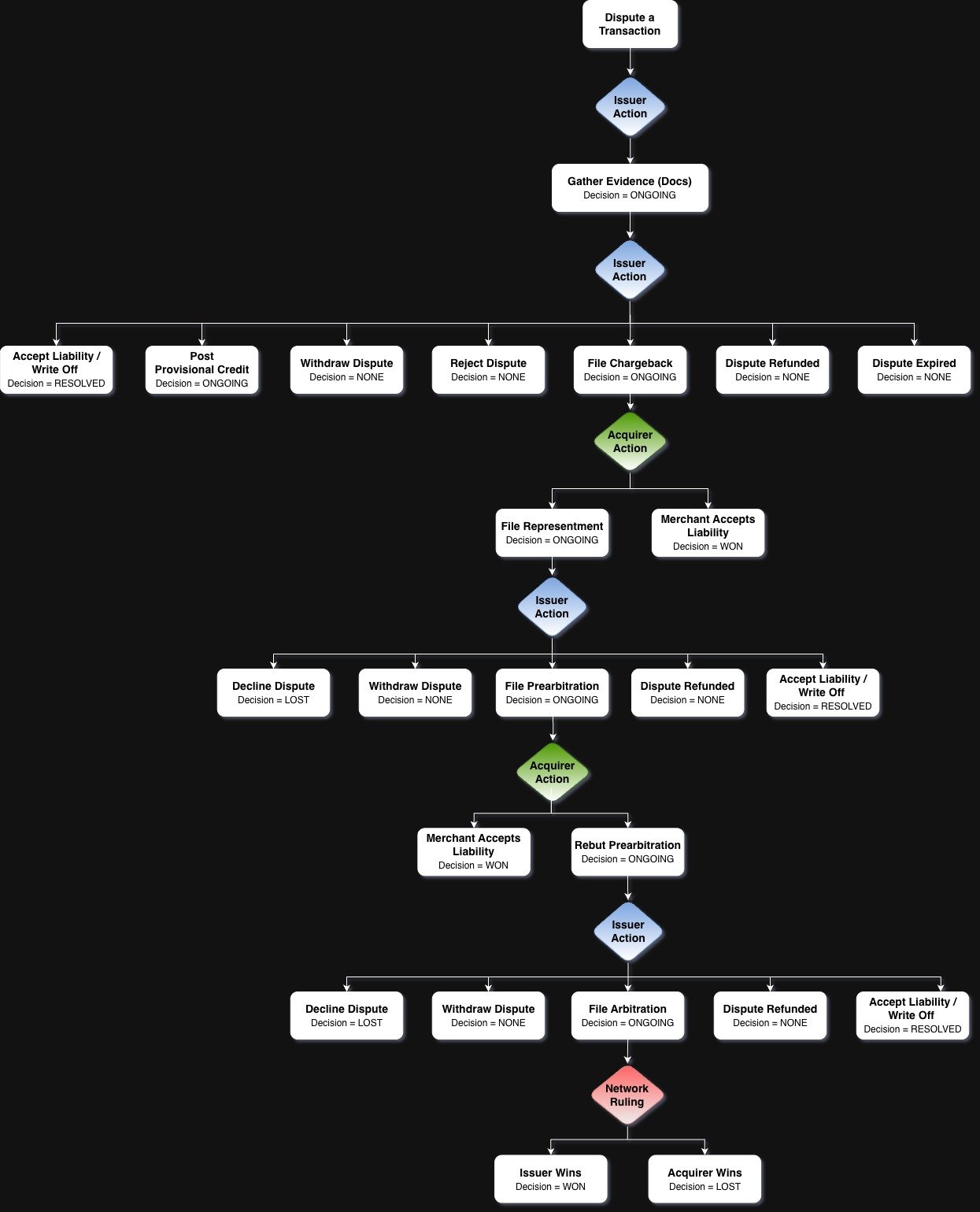
- Dispute a transaction:
- FinTech (representing the issuer) receives a dispute request from cardholder, and initiates a dispute on the Synctera platform, which automatically creates a dispute case in
EVIDENCE_GATHERINGstatus.
- Initial issuer action:
- Once the evidence gathering is complete (i.e. supporting evidence submitted), the Synctera Dispute Management system/team investigates the dispute and determines the next steps based on the dispute reason (e.g. fraud vs. non-fraud) and transaction authorization data (e.g. 3DS authenticated or tokenized transaction):
- Write off the dispute based on set write-off $-threshold or as a result of accepting liability.
- Reject the dispute if it is not eligible for a chargeback due to authorization data.
- Withdraw the dispute when requested by cardholder.
- Mark the dispute as refunded if a refund was already issued by the merchant.
- File chargeback to the network expecting the financial liability to be shifted to the merchant.
- A dispute is marked as expired it is not actioned within the required timeframe (this is an exception case, and a dispute case can be reopened if this occurs).
- Chargeback initiated -> acquirer action:
- If the issuer submitted the chargeback to the network, the acquiring bank informs the merchant of the chargeback. The merchant reviews the chargeback information and decides whether to accept liability or file a representment.
- If the merchant chooses to dispute the chargeback, they respond to the acquiring bank with evidence to support their case.
- Representment -> issuer action:
- If the merchant filed a representment, the issuer is notified of the representment. The merchant’s response is evaluated by Synctera and a decision made to:
- Decline the dispute based on the merchant’s evidence (cardholder loses case).
- Withdraw the dispute when requested by cardholder.
- Dispute the representment by filing a pre-arbitration request.
- Mark the dispute as refunded if a refund was already issued by the merchant through collaboration between the issuer and acquirer/merchant.
- Accept liability and write off the dispute
- Pre-arbitration -> acquirer action -> issuer action:
- During the pre-arbitration step, the issuing bank and acquiring bank attempt to agree on the chargeback.
- The merchant can decide to accept liability or rebut the pre-arbitration request.
- At this point, the issuer can:
- Decline the dispute based on the merchant’s pre-arbitration response (cardholder loses case).
- Withdraw the dispute when requested by cardholder.
- Dispute the rebutted pre-arbitration, i.e. move to arbitration.
Issuers and acquirers generally choose to avoid arbitration as it involves fees as high as $500 or more per case in addition to any other fees associated with the dispute.
- Mark the dispute as refunded if a refund was already issued by the merchant through collaboration between the issuer and acquirer/merchant.
- Accept liability and write off the dispute
- Arbitration:
- Unless merchant or issuer agree on a resolution, the network (arbitrator) reviews the chargeback and makes a final decision, either in favor of the issuer or the merchant. The decision is final and binding on both the merchant and the issuing bank.
How to submit a card transaction dispute?
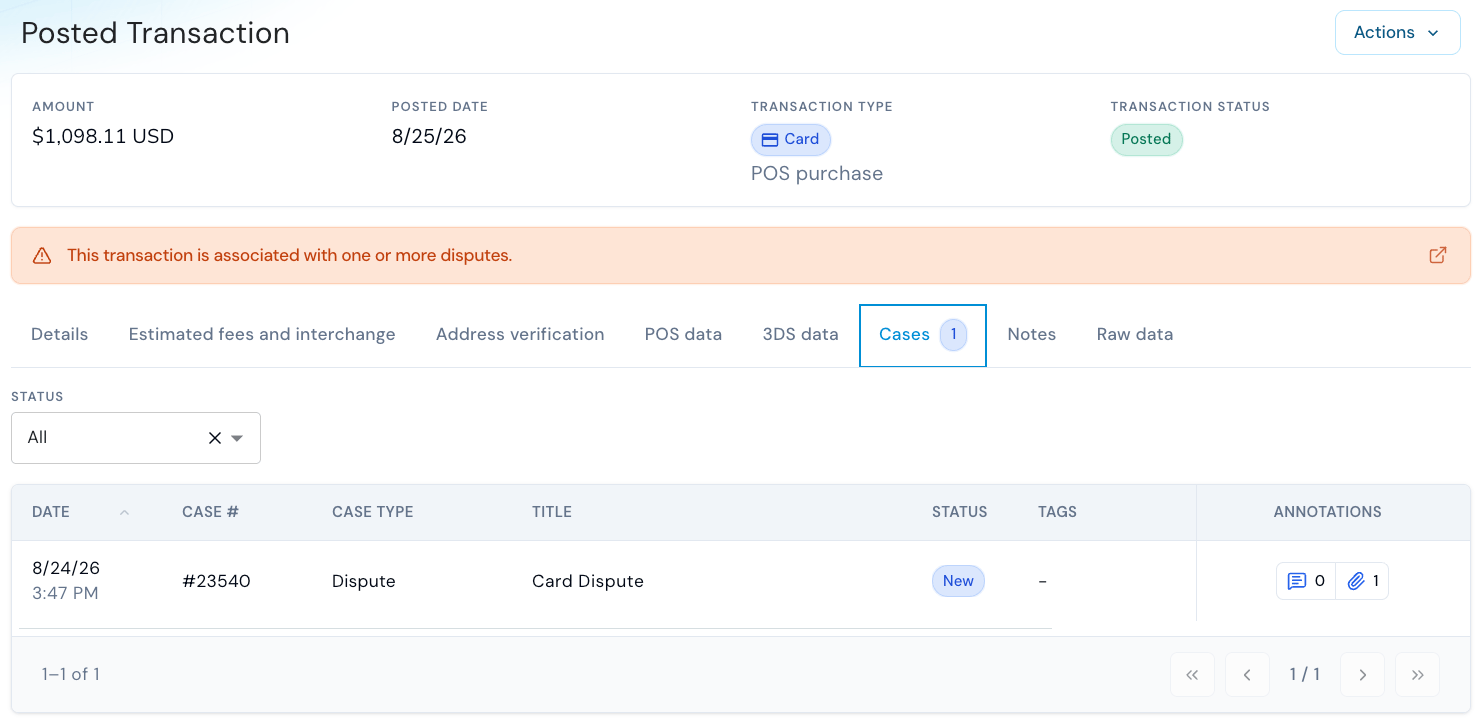
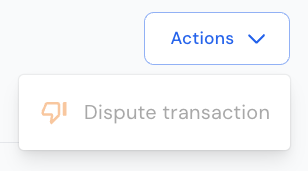
To dispute a cleared/posted transaction in the Synctera Console, go to Posted Transactions and Actions in the top right corner of the screen.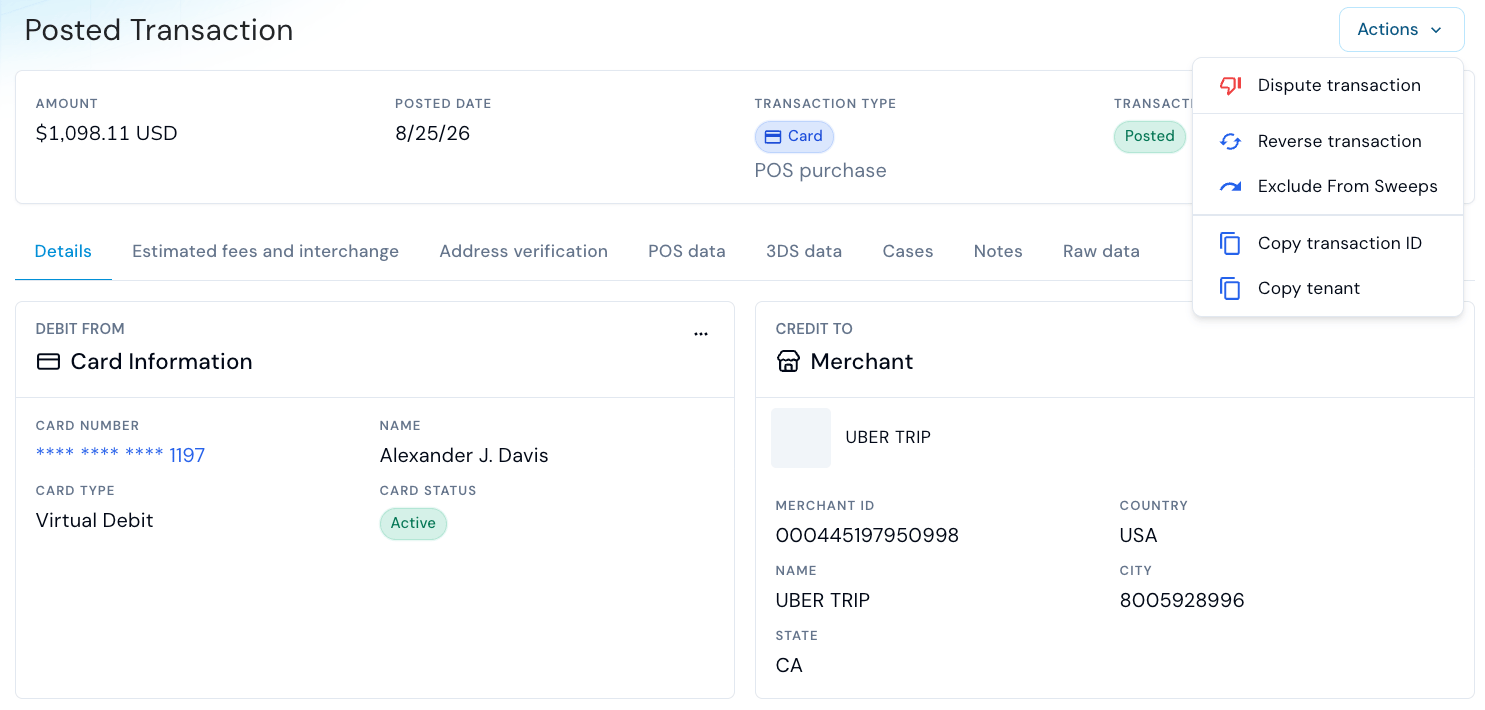
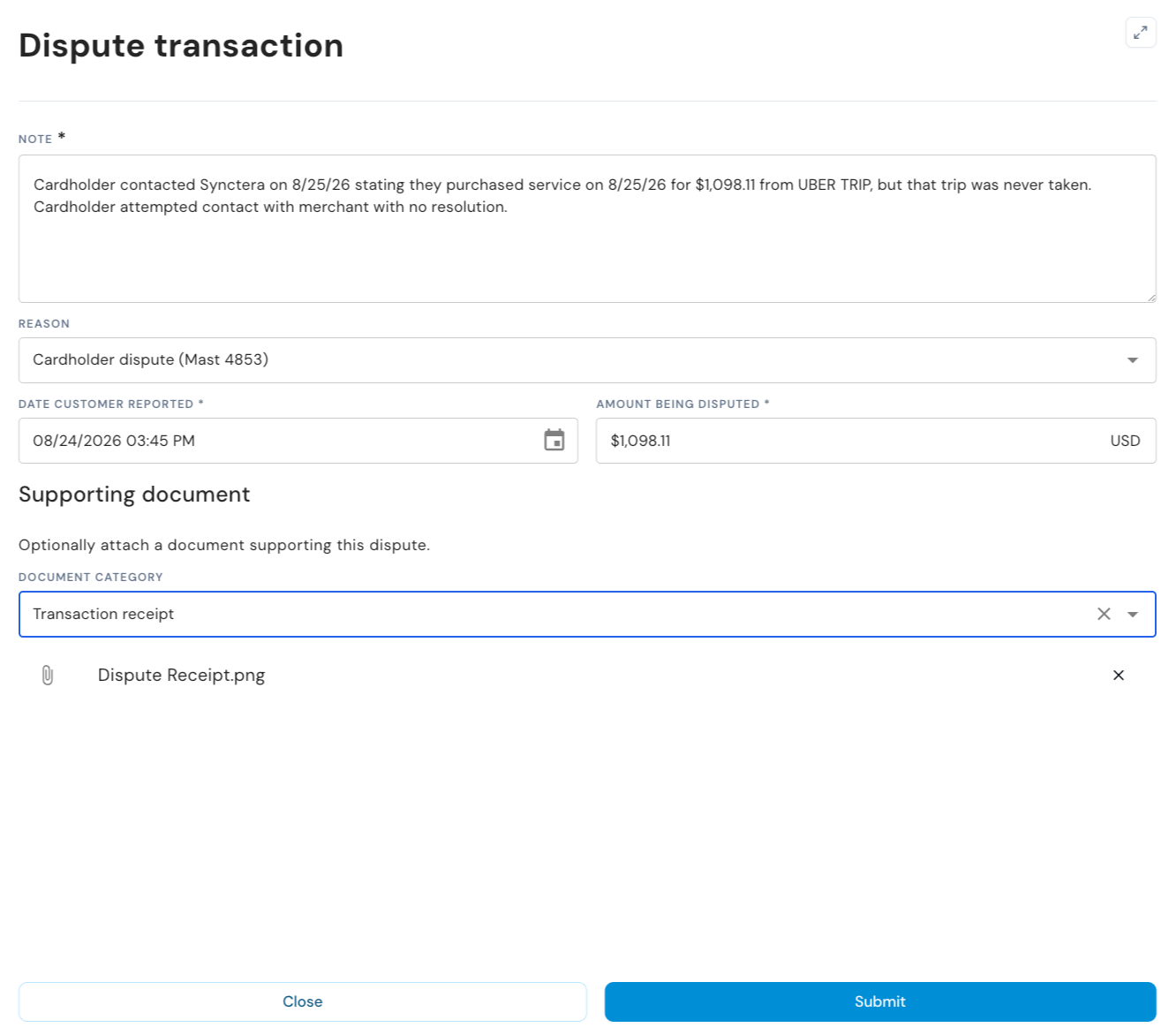
- Note:
- Information about the dispute, typically what the customer provides when submitting the dispute to the FinTech
- Dispute reason:
- The reason for the dispute - acts as the formal classification for the claim, signaling to the network exactly why the transaction is being challenged. Selecting the correct code ensures the case is evaluated under the proper network rules and significantly improves the chances of a successful resolution.
- For more details on dispute reasons, see this article with Dispute Intake Questions or the API reference
- Date reported:
- The date reported by customer is important for establishing the correct deadlines for provisional credit and investigation
- Disputed amount:
- This will be defaulted to the amount of the transaction being disputed on, in case of a partial dispute, to the remaining undisputed amount
- Supporting document:
- Adding supporting document will generally strengthen the case, and is mandatory for some reason codes - the document can be added at this stage or once the dispute has been submitted and before the evidence gathering is marked as complete
- Some reason codes require certain dispute document categories to be included on submission - see API reference for details
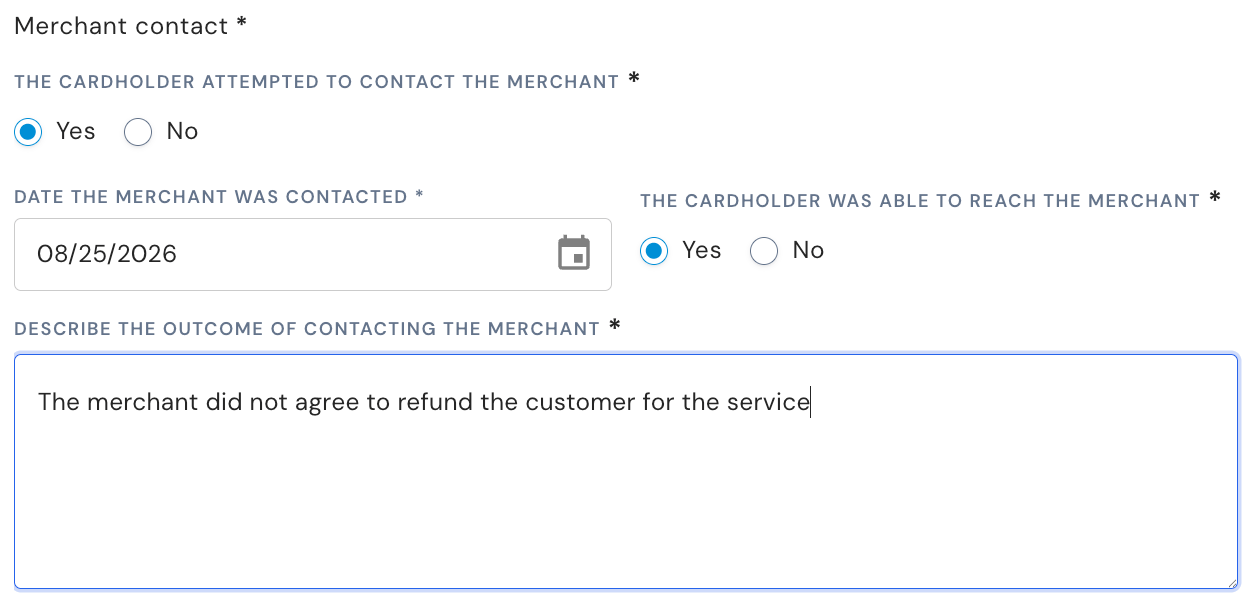
- Some reason codes require additional evidence - see the API reference for detailed requirements. In the below example, merchant contact is the required evidence:
- Submit dispute:
- When the dispute is submitted, a dispute record is automatically created, and subsequently also the Synctera Dispute Case.
What’s displayed for Card Dispute cases
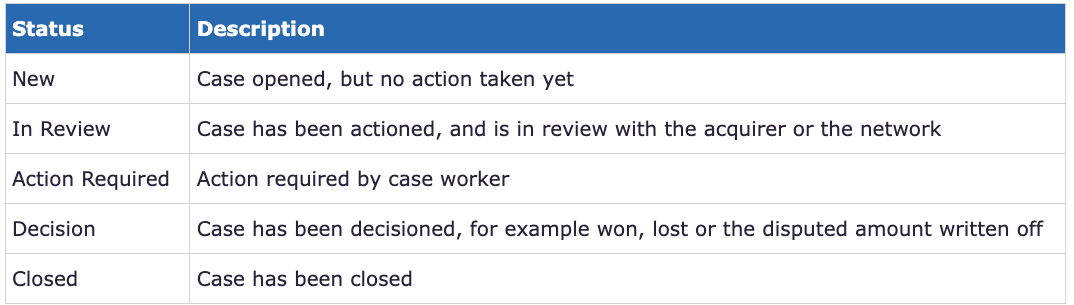
Case status
The case status is shown at the top of the dispute case - to the right of the case description.
Evidence Gathering
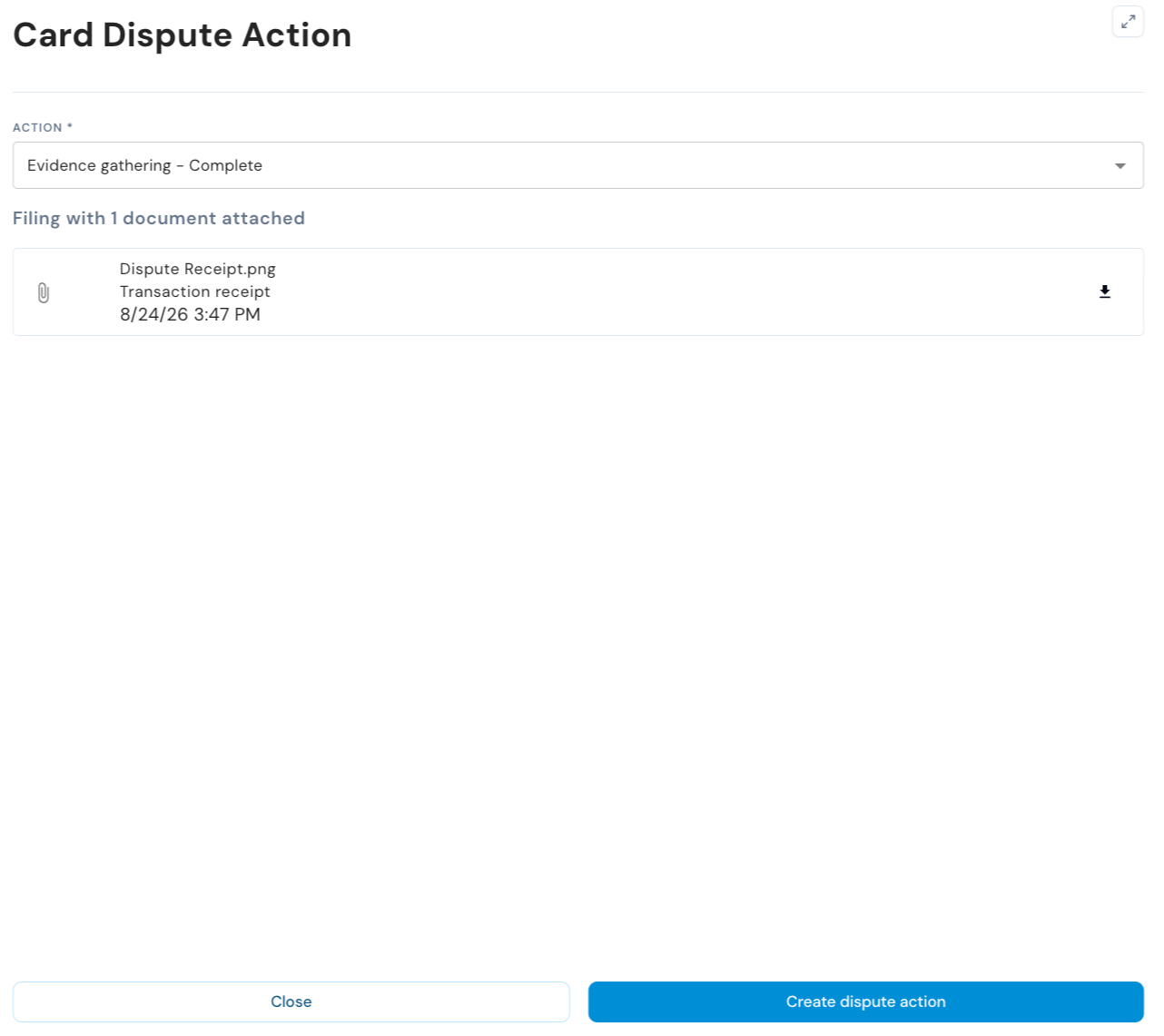
Once a card dispute has been created, the documentation requirements are displayed on the screen. The evidence gathering must be completed by the FinTech before the case handling is taken over by Synctera.
Customer and Account
Shows information about the Customer and the Account to which the disputed transaction applies - click on the three dots in the right corner on each tile to view full customer or account details:
Transaction
Shows information about the Transaction being disputed - click on the transaction amount or the three dots in the right corner to view full transaction details: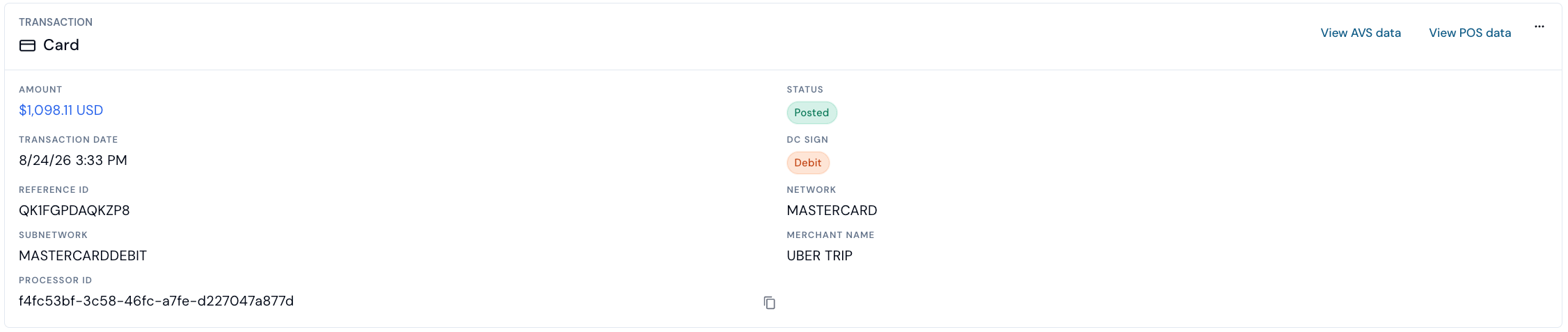
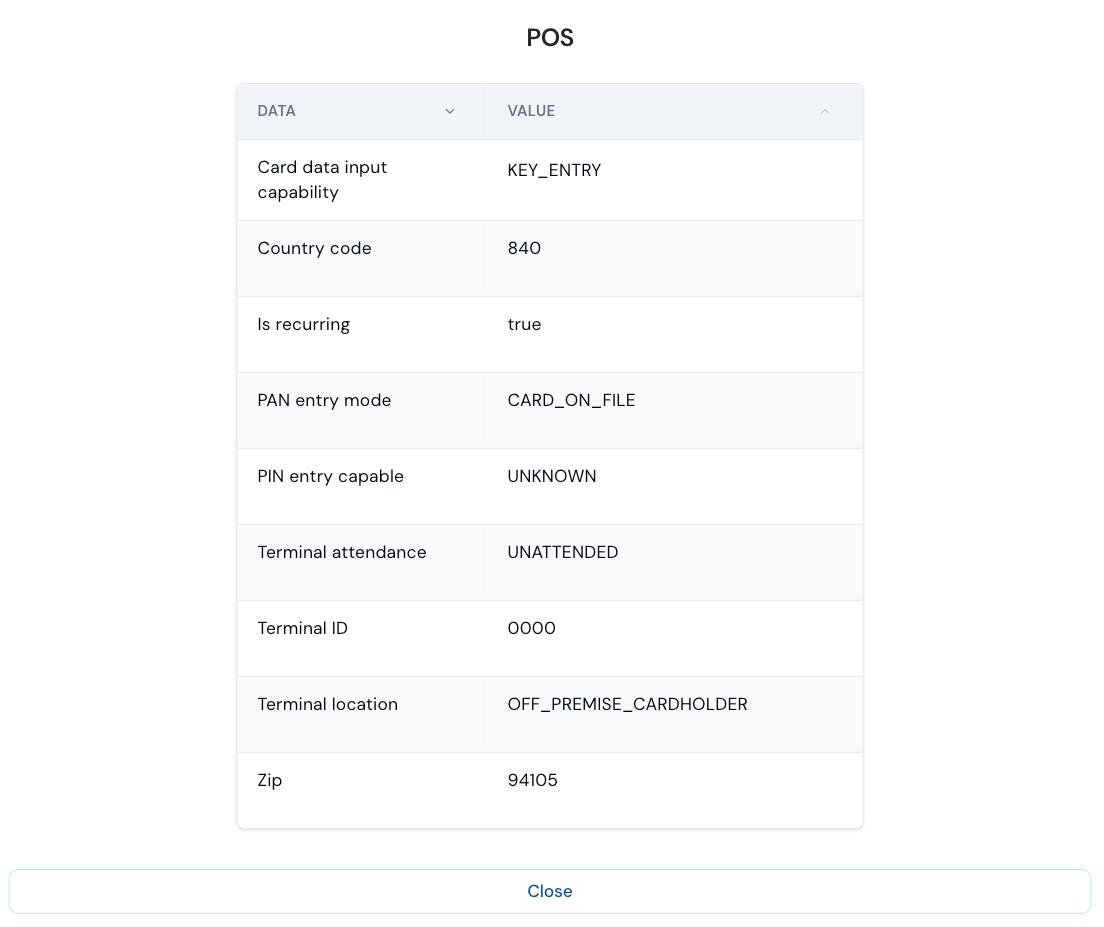
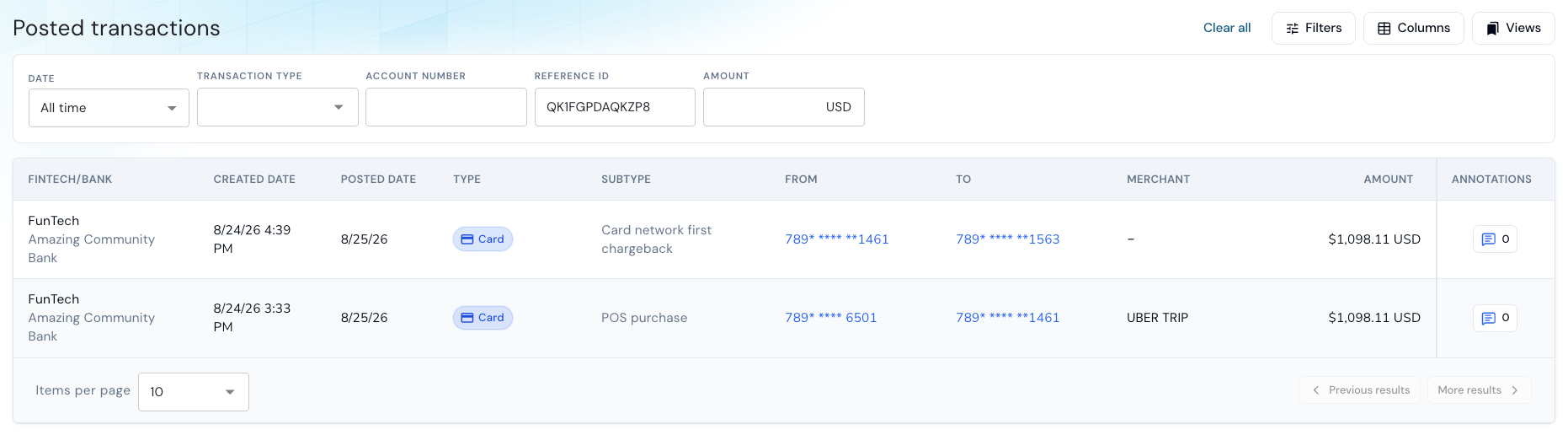
Card
Shows information about the Card to which the disputed transaction belongs - click on the card number or the three dots in the right corner to view full card details:
Dispute status
The dispute status section includes:- Overall status (Lifecycle, Decision, Credit)
- General information / submission details
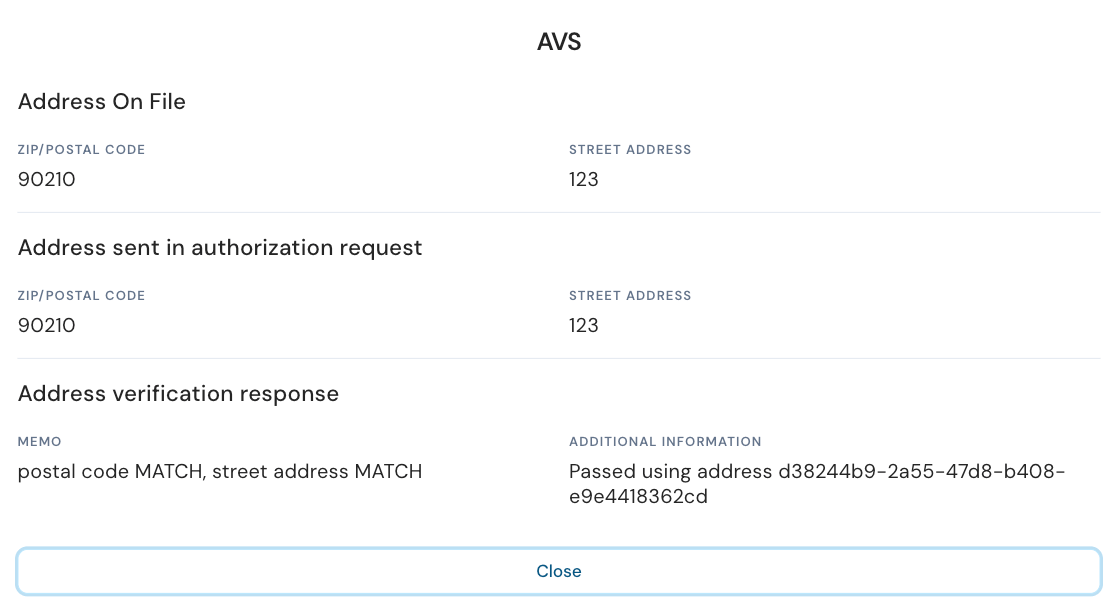
- Transaction authorization data relevant for eligibility/liability
- Evidence that was submitted
- The Lifecycle status tells you in which step in the dispute flow the dispute is
- The Decision tells you if a decision has been reached
- The Credit status tells you if a provisional credit or a final credit was posted or not

- Disputed date and amount
- Reason code, Applicable regulation and Investigation deadline, which is calculated automatically based on network timelines
- Acquirer reference number, which is required in the investigation of certain dispute cases
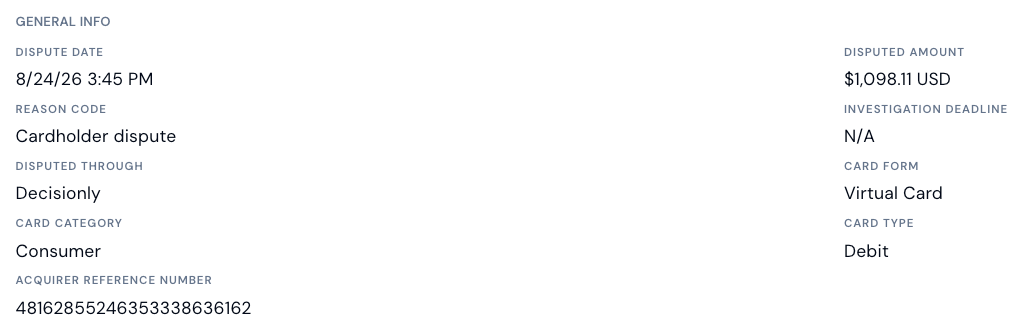


Other parameters impacting the dispute flow
There are various other parameters that impact the dispute flow and eligibility.- Disputed through:
- Mastercard disputes: Decisionly
- Visa and PULSE: Marqeta
- 3DS authentication: If a transaction was authenticated through 3DS, it is not eligible for a chargeback with the network (i.e. will get rejected by the network).
- Digital wallet token transaction: If a transaction was processed using a digital wallet token, it is not eligible for a chargeback with the network (i.e. will get rejected by the network).
- Card form: It is important to know whether a physical or a virtual card was used for the transaction, as it may impact the decision.
- Card category: Rules and regulations are different for consumer and commercial cards.
- Card type: Rules and regulations are different for debit and credit cards.
Action history
Shows all dispute lifecycle transitions/events: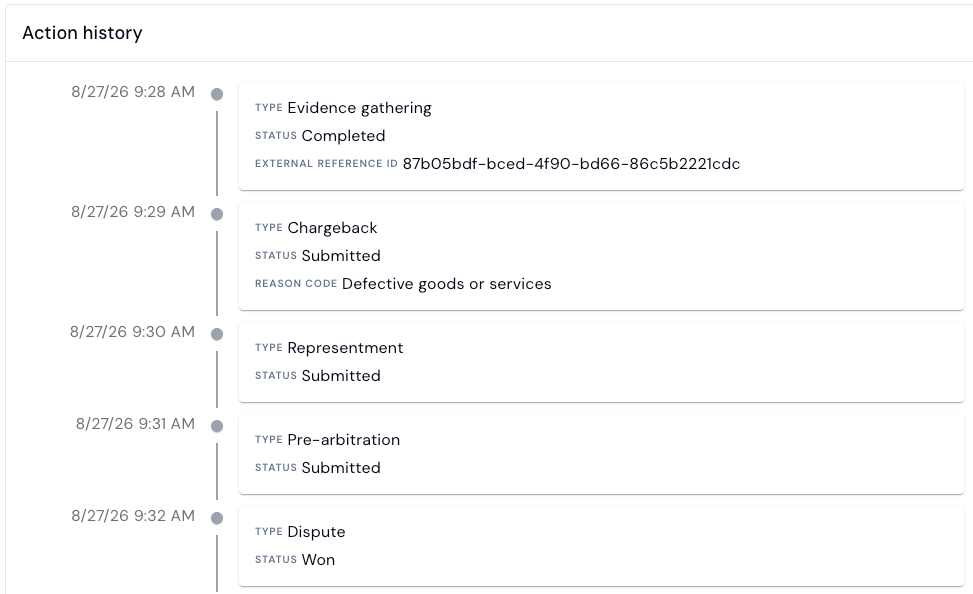
Related Cases
The second tab on the Dispute case shows Related cases, that is, other dispute cases opened for the same customer. This may help indicate whether a fraud pattern can be established for the customer.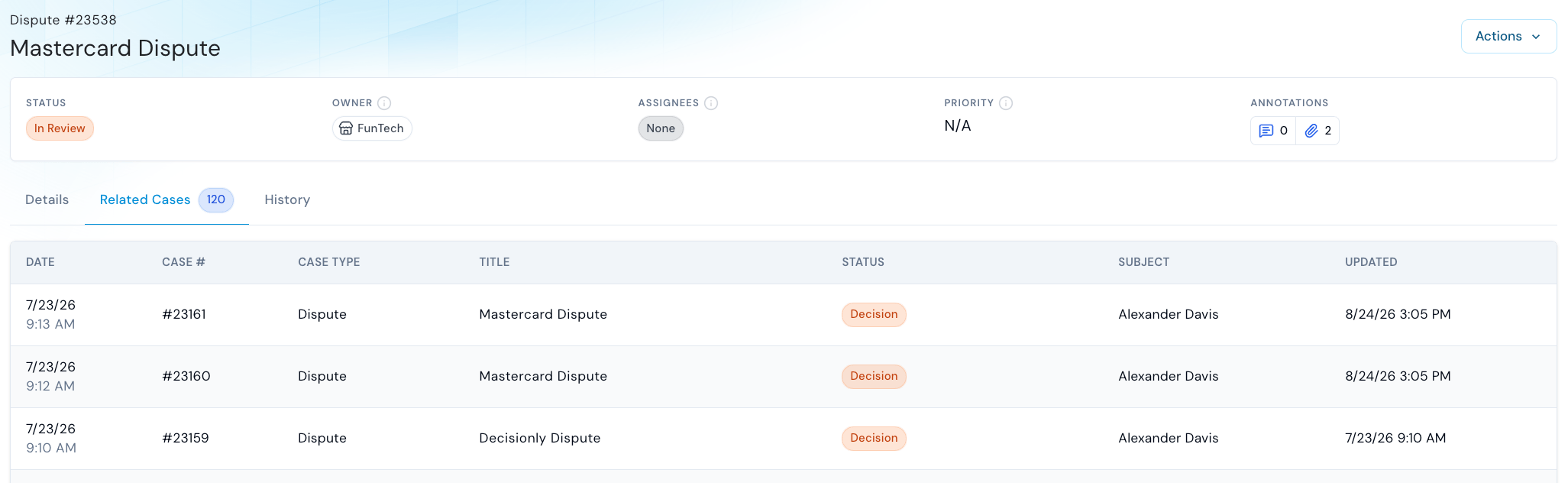
History
The third tab on the Dispute case shows the case History, i.e. all the status transitions of the Synctera Dispute Case.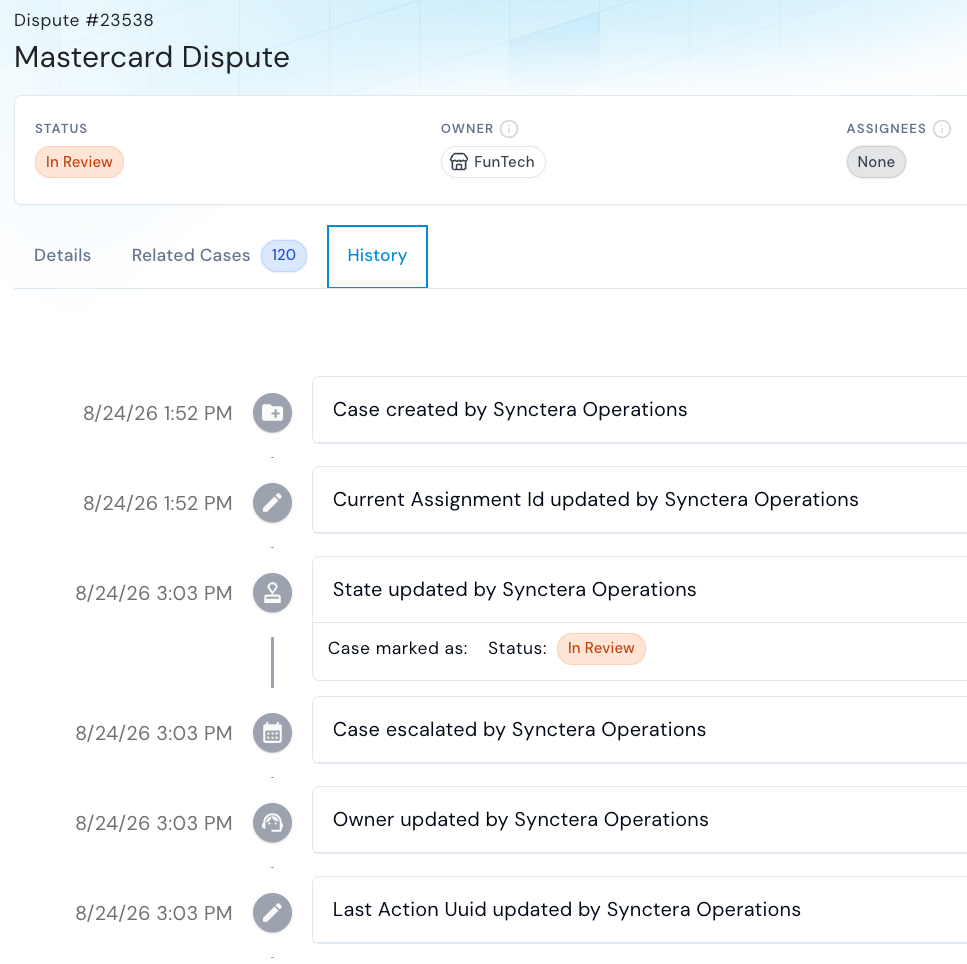
Case assignment and document upload
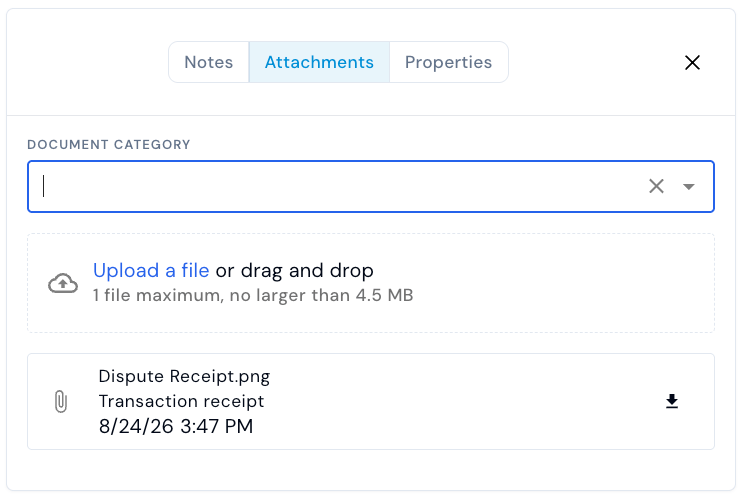
As for other case types, the Dispute case provides the ability to add an assignee and assign a priority to the case.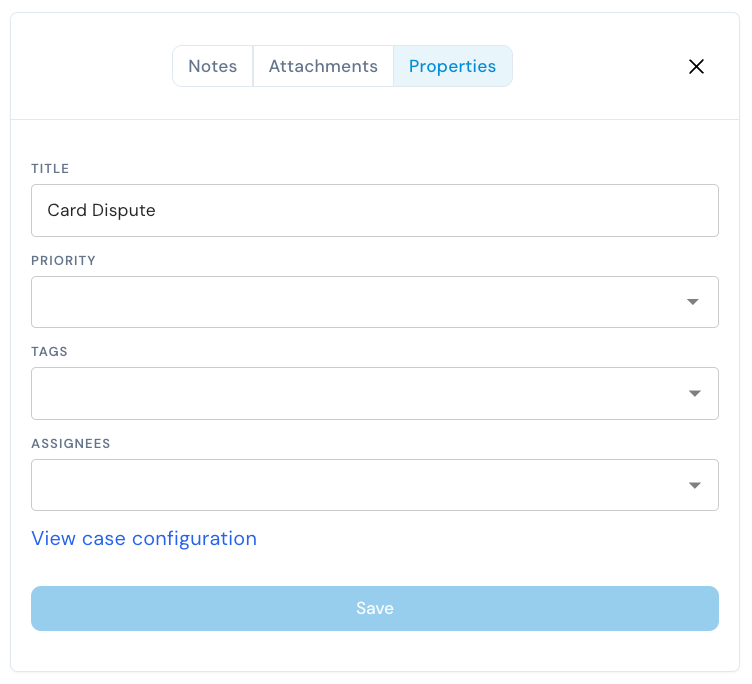
How to action a case
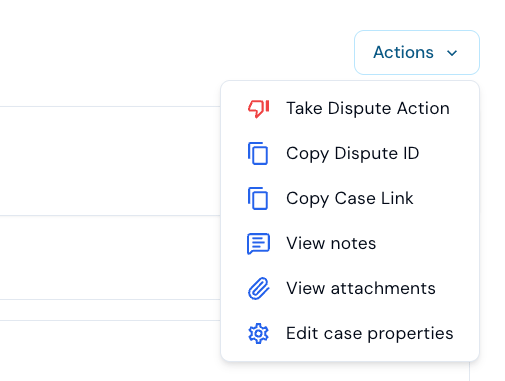
The system will automatically determine/display the case- and dispute-actions that are available based on the dispute status (lifecycle status / decision).Take Dispute Action
- Actions available to FinTechs:
- Complete evidence gathering
- Create/reverse provisional credit:
Posting of provisional credits is by default done automatically. However, the Create - Provisional Credit action can be used for immediate posting of the provisional credit. This action requires additional permissions, which can be requested through a Synctera representative.
- Actions handled by Synctera Dispute Management team or System:
- All issuer actions after evidence gathering has been completed - see list here
Close case
In the scenario where a decision has been reached (Decision = Won / Lost / Resolved) or case worker decides to deny the dispute, the case can be closed.